

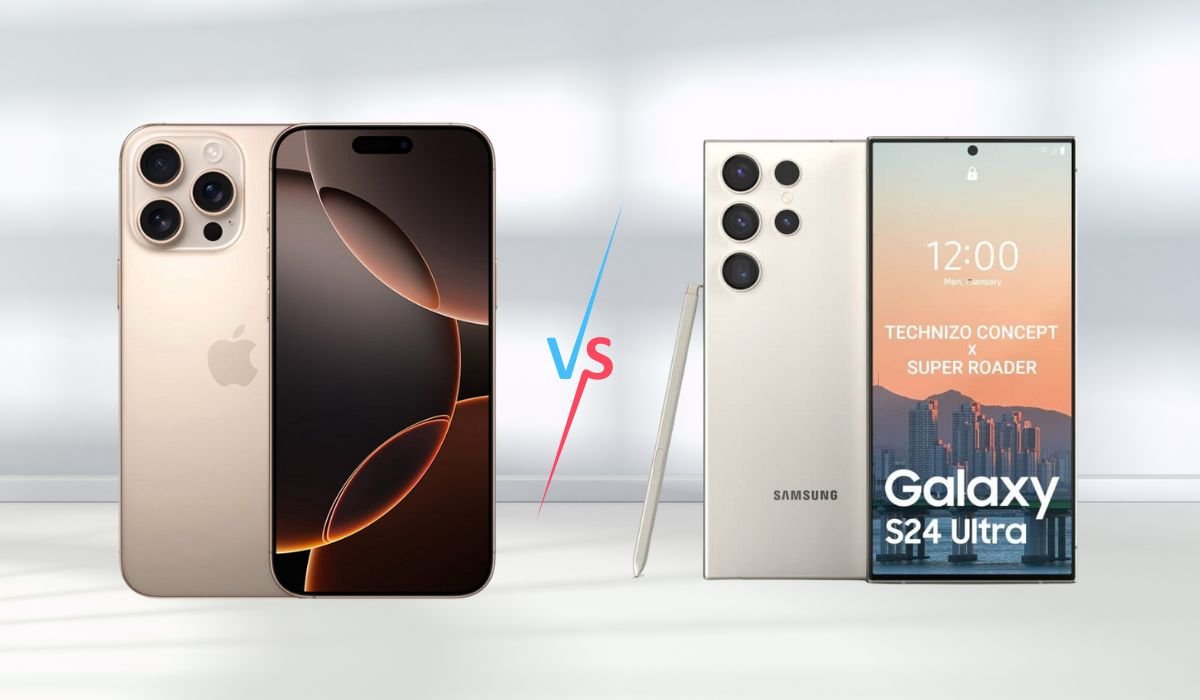
When it comes to smartphones, the choice often boils down to two major players: iPhone and Android. Both platforms have their strengths, but which one offers a more user-friendly experience?
User-friendliness is a crucial factor in choosing a smartphone. It impacts how easily users can navigate their devices, access features, and integrate them into their daily lives. For many, a device that’s intuitive and straightforward can make all the difference.
This comparison aims to shed light on various aspects of both iPhone and Android devices to help you determine which one aligns better with your needs. From ease of use to customization options, we’ll explore how each platform stacks up in terms of user-friendliness.
Key Takeaways
- iPhones are recognized for their intuitive interface and consistent user experience, making them ideal for users who prefer simplicity and reliability.
- Android offers extensive customization options and a wide range of price points, catering to users who enjoy personalizing their devices and seeking budget flexibility.
- Apple’s ecosystem integration, including features like Handoff and seamless connectivity with other Apple products, enhances the overall user experience.
- Android’s flexibility and variety can lead to inconsistent app quality and update frequency, depending on the manufacturer and device model.
Also read: The 10 Best iPhone Models for Gaming
Operating System Experience
iPhone (iOS)
iOS stands out for its intuitive interface and consistent design. The operating system is designed to be user-friendly right out of the box, with a clean layout and straightforward navigation. This simplicity helps new users get accustomed quickly and reduces the learning curve.
One of iOS’s strongest points is its seamless integration with other Apple products. If you own multiple Apple devices, such as a MacBook, iPad, or Apple Watch, you’ll appreciate features like Handoff and iCloud. These allow for smooth transitions between devices and ensure that your data is synced effortlessly.
Apple is known for providing regular updates and support across its devices. iOS updates are available to all compatible devices simultaneously, which helps maintain security and functionality. This unified approach ensures that users benefit from the latest features and fixes without delay.
Android
Android offers a customizable interface with numerous design options. Users can modify their home screens, choose from a wide range of widgets, and even change the entire look of their device with third-party launchers. This flexibility appeals to those who prefer to tailor their smartphone experience to their personal preferences.
Android’s integration with Google services provides a high degree of flexibility. From Google Drive and Google Photos to Google Assistant, Android users can leverage a wide array of tools seamlessly. This integration is beneficial for those deeply invested in Google’s ecosystem.
However, Android faces fragmentation issues due to the wide variety of devices and manufacturers. This can lead to update variability, where some devices receive the latest updates promptly, while others may lag. This inconsistency can impact the overall user experience and security.
Ease of Use
iPhone
The iPhone’s setup process is notably simplified. When users turn on their device for the first time, they are guided through a straightforward series of steps to get started. The process is designed to be quick and easy, minimizing complications for users of all experience levels.
Navigating through iOS is generally hassle-free. The settings and features are organized in a logical manner, making it easy to find what you need. For instance, settings are categorized into clear sections, and the search function helps users locate specific options quickly.
Apple’s accessibility features enhance ease of use for all users. VoiceOver provides screen reading capabilities, while the Magnifier helps those with vision impairments by turning the iPhone into a digital magnifying glass. These options ensure that the device is usable by people with varying needs.
Android
Android’s setup can vary significantly depending on the manufacturer and device model. While some setups are straightforward, others may involve additional steps or customization options. This variety can be a benefit for those who appreciate flexibility, but it may also be overwhelming for users seeking a more uniform experience.
Android excels in its customizable settings and features. Users can adjust nearly every aspect of their device, from home screen layouts to notification preferences. This level of customization allows users to tailor their experience precisely to their liking, although it might require a bit more effort to configure.
Android also offers robust accessibility options. TalkBack provides spoken feedback for visually impaired users, while Select to Speak allows users to highlight and have text read aloud. These features ensure that Android devices can be adapted to various accessibility needs.
App Ecosystem
iPhone
The App Store is known for its rigorous review process and quality control. Apple reviews each app before it becomes available for download, ensuring that it meets high standards for security, functionality, and user experience. This process helps maintain a consistent level of app quality and reliability, reducing the likelihood of encountering problematic apps.
Due to its strict review process, the App Store tends to offer apps with greater consistency and reliability. Users can generally expect a smoother experience with fewer bugs and issues, as apps are thoroughly vetted before reaching the public. This creates a more dependable app environment for iPhone users.
Android
Android users have access to a diverse range of apps through the Google Play Store, as well as various third-party app stores. This variety allows users to explore a wider selection of apps, including niche and experimental ones. However, the presence of multiple sources means that app quality can vary significantly.
The extensive range of apps available on Android offers users a broader variety, from highly specialized tools to innovative new apps. However, this variety also brings a potential for inconsistent quality. Since apps are not subject to the same level of scrutiny as those in the App Store, users might encounter apps with varying levels of performance and reliability.
Also read: The 20 Best Android Phones for Every User
Customization and Personalization
iPhone
The iPhone offers limited customization options compared to its Android counterpart. Users can change wallpapers and add a few widgets to their home screens, but beyond that, customization is quite restricted. This approach ensures a consistent user experience across all iOS devices, but it may not satisfy those who enjoy extensive personalization.
One of the strengths of iOS is its ability to deliver a consistent user experience. Regardless of which iPhone model you use, the interface and features remain largely the same. This uniformity can make transitioning between devices smoother and less confusing, as users can expect the same look and feel across all Apple products.
Android
Android excels in extensive customization options. Users can personalize their devices with various launchers, widgets, and themes. This flexibility allows for significant changes to the device’s appearance and functionality, enabling users to create a unique experience tailored to their preferences.
Beyond surface-level changes, Android users can also modify deeper system aspects. This includes altering default apps, adjusting system settings, and even using custom ROMs for a more profound change. This level of customization appeals to those who enjoy tinkering with their devices to fit their exact needs.
Integration with Other Devices
iPhone
The iPhone offers strong integration with the Apple ecosystem. If you own other Apple products like an iPad, Mac, or Apple Watch, you’ll benefit from seamless connectivity and interaction. Features like Handoff allow you to start a task on one Apple device and pick it up on another without missing a beat.
Apple’s Handoff and continuity features enhance the user experience by allowing smooth transitions between devices. For instance, you can start composing an email on your iPhone and finish it on your Mac, or make and receive phone calls from your Mac or iPad. These features create a cohesive environment that’s easy to navigate.
Android
Android devices integrate well with Google services, such as Google Drive, Google Photos, and Google Assistant. This integration facilitates easy access to your data across different platforms. Additionally, Android’s flexibility extends to various third-party devices, allowing users to connect with a wide range of products and ecosystems.
Android’s openness means it supports a variety of brands and ecosystems. Whether you’re using a Samsung smart TV, a Fitbit smartwatch, or a smart home device, Android’s compatibility ensures that you can integrate your smartphone with numerous other devices and services. This flexibility allows for a customized tech setup based on individual preferences.
Security and Privacy
iPhone
iPhone users benefit from regular security updates. Apple releases updates consistently, ensuring that security vulnerabilities are addressed promptly. This proactive approach helps protect devices from potential threats and keeps the system secure.
The App Store has a stringent vetting process, which helps maintain a high level of security and privacy. Apps are thoroughly reviewed before being approved, reducing the risk of malicious software. Additionally, iOS offers robust privacy controls, allowing users to manage permissions and data access for each app.
iOS operates on a closed system approach, which limits the ability to install apps from outside the App Store. This controlled environment minimizes the risk of encountering harmful software and provides a more secure user experience.
Android
Android’s security patches and updates can vary significantly depending on the manufacturer and device model. While Google provides regular updates for its Pixel devices, other brands might have different schedules. This variability can affect how quickly devices receive critical security fixes.
Google Play Protect is a security feature that scans apps for malicious behavior before and after installation. Additionally, Android offers detailed app permissions settings, allowing users to control what data and features each app can access. These tools help safeguard user information.
Android’s open system approach allows for more flexibility but also introduces potential vulnerabilities. Users can install apps from third-party sources, which increases the risk of encountering insecure or malicious software. This openness requires users to be more vigilant about their device’s security.
Customer Support and Service
iPhone
Apple provides a comprehensive customer support network for iPhone users. From online resources to direct customer service, Apple ensures that help is readily available. You can access support through Apple’s official support page, which offers a range of options from troubleshooting guides to live chat assistance.
For hands-on help, the Apple Store experience is unmatched. The Genius Bar at Apple Stores offers in-person technical support and repairs. Whether you need assistance with software issues or hardware repairs, the Genius Bar provides expert help and personalized service, making it easy to get your device fixed or questions answered.
Android
Android support can vary greatly depending on the manufacturer. Major brands like Samsung and Google offer robust customer service options, including online chat, phone support, and in-person assistance. However, smaller manufacturers might not provide the same level of service. Users should check the support page for details on available help and services.
Android users can also tap into forums and community support for assistance. Platforms like Reddit and XDA Developers offer a wealth of user-generated solutions and advice. These communities can be a valuable resource for troubleshooting and learning more about device-specific issues.
Cost and Value
iPhone
iPhones generally come with a higher initial cost compared to many Android devices. The premium price reflects the high build quality and advanced features. Despite the higher upfront cost, iPhones often retain their value better over time. This is due to their durable build and strong demand in the second-hand market, making them a potentially worthwhile investment.
Apple positions the iPhone as a premium product, with a focus on high-quality materials and cutting-edge features. From the sleek design to the advanced camera systems, iPhones are crafted to offer a top-tier user experience. This premium build contributes to their higher cost but also ensures a robust and sophisticated device.
Android
Android offers a wide range of price points, catering to various budgets. From budget-friendly models to high-end flagship devices, Android users can choose a phone that fits their financial and performance needs. This range allows users to find value at every price level, making Android a versatile choice for different consumer segments.
The variety in Android devices means that options can range significantly in terms of features and build quality. Budget devices provide essential functions at a lower cost, while high-end models offer premium features similar to those of the iPhone. This flexibility ensures that users can select a device that meets their needs without overspending.
Conclusion
In summary, both iPhone and Android offer unique strengths in user-friendliness. iPhone is known for its intuitive interface, seamless integration with other Apple products, and consistent updates. It’s ideal for users who value simplicity, reliability, and a cohesive ecosystem.
On the other hand, Android excels in customization options, flexibility, and a wide range of price points. It suits those who enjoy tailoring their device to their preferences and who seek a variety of choices across different budgets.
Ultimately, the best choice depends on individual needs and preferences. Consider what features are most important to you—whether it’s a streamlined user experience, customization, or budget flexibility. Choose the system that aligns with your personal priorities to ensure the best fit for your lifestyle.
Frequently Asked Questions
Which is more user-friendly, iPhone or Android?
The answer depends on personal preferences. iPhones are known for their intuitive interface and consistent experience, while Androids offer greater customization. Generally, iPhones are considered more user-friendly for those seeking simplicity, while Androids suit users who enjoy extensive personalization.
Are Android users more than iPhone users?
Yes, Android has a larger global market share compared to iPhone. Android’s extensive range of devices and price points contributes to its wider adoption, making it the dominant platform in terms of overall user numbers.
Which is more user-friendly, Apple or Samsung?
Apple is often viewed as more user-friendly due to its streamlined iOS and consistent user experience. Samsung offers customization and flexibility with Android, but the experience can vary based on individual preferences and the specific device model.
Why do people prefer Androids over iPhones?
People prefer Androids for their customization options, varied price points, and integration with Google services. Android’s flexibility allows users to tailor their experience, while the broad range of devices makes it accessible for different budgets and needs.
Which phone does Elon Musk use?
Elon Musk has been known to use an iPhone. He has mentioned his preference for Apple’s devices, likely due to their security features and overall user experience, aligning with his need for reliable and secure technology.
Do Androids last longer than iPhones?
Typically, iPhones are known for their longer lifespan due to regular updates and robust build quality. While some Android devices can also last long, their longevity can vary based on the manufacturer and model, with updates often being less consistent.


