


Content summary: Flash games are still playable on Android with tools like emulators, SWF players, and apps like FlashFox. They bring back nostalgic fun and are easy to access using modern alternatives. With a little setup, you can relive classic gaming moments and enjoy a piece of internet history anytime, anywhere.
Flash games bring back a wave of nostalgia for anyone who grew up playing them. These simple yet addictive games dominated browsers and became a huge part of gaming history.
However, with the decline of Flash support, many of these classics faded into the background. It left a big gap for fans of these bite-sized adventures.
Despite this, Flash games still hold a special place in many hearts. Their charm and fun gameplay make them worth revisiting even today.
Thankfully, you don’t have to say goodbye. With a few tricks, you can bring these games back to life on your Android device. Let’s dive in!
Why Flash games are still worth playing
Flash games are a perfect mix of simplicity and fun. They don’t require complex controls or long tutorials—just jump in and play. Their easy-to-pick-up nature made them wildly addictive and ideal for quick gaming sessions.
Classics like “Bloons Tower Defense,” “Line Rider,” and “Papa’s Pizzeria” defined an era. These games turned ordinary moments into hours of pure entertainment, sparking joy for players of all ages.
What makes Flash games special is their retro charm. They capture a time when gaming was all about creativity and experimentation. Playing them now feels like opening a time capsule filled with unforgettable memories.
Challenges of playing Flash games on modern devices
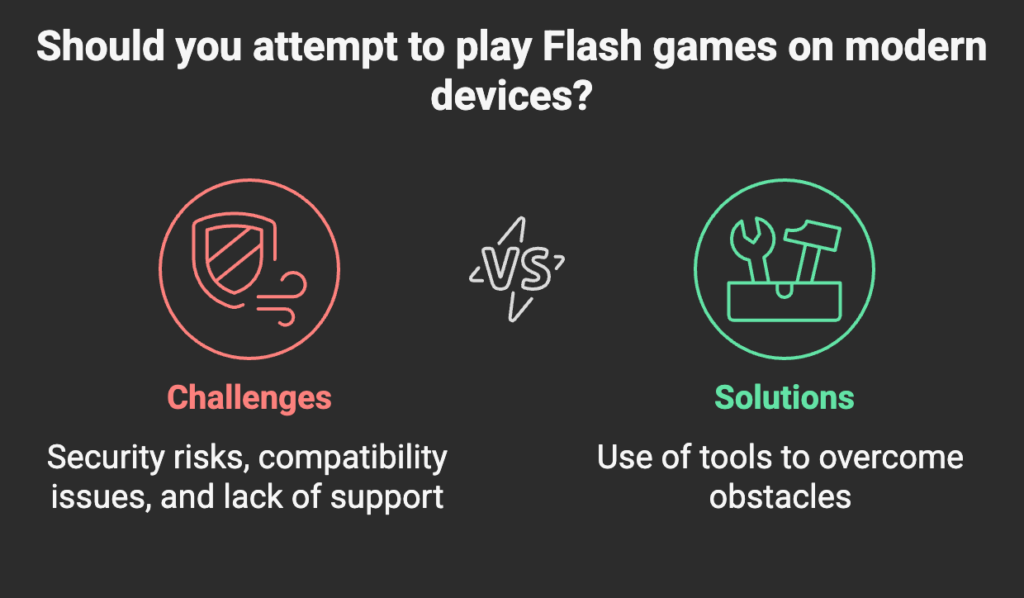
Playing Flash games on modern devices isn’t as simple as it used to be. The discontinuation of Adobe Flash Player in 2020 marked the end of official support, making it harder to run Flash-based content directly.
There’s also the issue of security risks. Outdated Flash technology is prone to vulnerabilities, which can expose devices to malware or other threats if not handled carefully.
On top of that, compatibility issues arise when trying to play Flash games on Android. Most browsers no longer support Flash, and Android doesn’t have built-in Flash Player support. But with the right tools, these challenges can be overcome.
How to prepare your Android device for Flash gaming
Before diving into Flash gaming, make sure your Android device is up for the task. A device with at least 2GB of RAM, a stable internet connection (if using online emulators), and a reliable storage solution for downloading game files is ideal. Older devices may struggle with performance, so keep your hardware in mind.
To ensure smooth gameplay, enable unknown app installations if you’re using third-party players or emulators. Additionally, tweak your display settings to avoid unnecessary scaling or resolution issues. Keep your device updated to the latest Android version for better compatibility with Flash emulators.
Tips for optimizing performance and avoiding lag
- Close unnecessary apps running in the background.
- Clear cache regularly to free up memory.
- Use a lightweight Flash player or emulator for minimal resource usage.
- Play games offline whenever possible to reduce lag caused by internet fluctuations.
Tools and apps to play Flash games on android
Flash Emulators
Flash emulators are one of the easiest ways to play Flash games on Android. FlashFox is a popular browser emulator that supports Flash content directly, letting you play games without additional setup. Another great option is the Puffin Browser, which uses cloud-based technology to render Flash content seamlessly. Both tools are beginner-friendly and widely available.
Step-by-Step Guide to Installing and Using a Flash Emulator
- Download a Flash emulator like FlashFox or Puffin Browser from the Google Play Store.
- Install the app and open it.
- Search for a Flash game website or load a Flash file (SWF) within the emulator.
- Follow on-screen prompts to enable Flash content.
- Start playing your favorite Flash games seamlessly.
Third-Party Flash players
If you have SWF files downloaded, third-party Flash players like SWF Player and Ruffle can help. SWF Player allows you to load local Flash game files easily, while Ruffle is a modern emulator built to replicate Flash’s functionality without requiring Adobe’s discontinued support. These tools are lightweight and great for offline gaming.
Third-Party Flash Players
- SWF Player:
- Download and install SWF Player from a trusted source.
- Open the app and load a saved SWF game file.
- Adjust playback settings for smoother performance.
- Ruffle Emulator:
- Download Ruffle APK from the official website.
- Install the app and run SWF files directly from your device.
Game-Specific apps
Some developers have ported their classic Flash games into standalone apps for Android. Platforms like Newgrounds or itch.io often host official mobile versions of beloved Flash titles. You can also check the Google Play Store for reimagined versions of popular games like “Papa’s Freezeria To Go” or “Bloons TD.” These apps ensure you get an authentic experience without compatibility issues.
- Look for official ports of Flash games on platforms like Google Play Store or itch.io.
- Download standalone apps like “Papa’s Freezeria To Go” or “Bloons TD.”
- Launch the app and enjoy an optimized mobile experience without extra setup.
Alternatives to Flash games on Android
HTML5 games
HTML5 has become the modern replacement for Flash, offering smooth, browser-based gameplay. Many classic Flash titles have been recreated in HTML5. Websites like Newgrounds and CoolMathGames now host HTML5 versions of popular games, allowing users to play without additional software.
Apps and platforms for similar gaming experiences
- Newgrounds App: Play updated versions of old classics and discover new indie games.
- CoolMathGames App: A mobile-friendly platform with puzzle, strategy, and arcade games inspired by Flash.
- Kongregate: A platform hosting both legacy games and newer creations, many optimized for mobile.
Cloud gaming for Flash titles
Platforms like BlueMaxima’s Flashpoint or GeForce Now allow access to legacy Flash games through cloud gaming. With these, users can play games on Android without worrying about compatibility issues, as the games run on remote servers. This makes it easy to enjoy a seamless gaming experience.
Here’s a table comparing popular tools and methods for playing Flash games on Android:
| Tool/Method | Description | Pros | Cons |
|---|---|---|---|
| FlashFox Browser | A browser with built-in Flash Player support. | Easy setup, no extra downloads required. | Limited features, occasional performance issues. |
| Puffin Browser | Cloud-based browser for Flash content. | Smooth performance, cloud-rendered security. | Requires a stable internet connection. |
| SWF Player | App for running downloaded SWF files. | Offline use, simple interface. | Requires manual SWF file downloads. |
| Ruffle Emulator | Open-source Flash emulator. | Modern, secure, and actively updated. | Limited compatibility with complex Flash files. |
| HTML5 Games | Modern replacements for Flash games. | No additional tools needed, highly compatible. | Limited to recreated or ported titles. |
Finding and Downloading Flash Games
Safe Websites to Download Flash Game Files (SWF Format)
- Flashpoint: A preservation project hosting thousands of classic Flash games.
- Newgrounds: A trusted platform with many original Flash game files.
- itch.io: Hosts indie game developers, including those who have ported Flash games.
How to Verify the Legitimacy of a Flash Game Source
- Check for HTTPS in the website URL to ensure a secure connection.
- Look for user reviews or ratings for the game or platform.
- Use platforms that are widely recognized in the gaming community, such as BlueMaxima’s Flashpoint or Newgrounds.
Avoiding Malware and Security Risks During Downloads
- Only download files from trusted websites with a strong reputation.
- Scan SWF files with antivirus software before opening them.
- Avoid downloading from shady sites or links shared on forums or unverified platforms.
- Regularly update your device’s antivirus and security settings to catch any potential threats.
The future of flash games
How Projects Like Flashpoint and Ruffle Are Keeping Flash Alive
Flash may be officially discontinued, but projects like BlueMaxima’s Flashpoint and Ruffle are ensuring these games don’t disappear. Flashpoint preserves thousands of classic games and animations, making them accessible offline, while Ruffle acts as a modern emulator that lets you play Flash games on current devices without relying on Adobe’s technology.
Resurgence of Retro Gaming on Modern Platforms
Retro gaming is experiencing a revival, and Flash games are part of that wave. With mobile apps, browser-based HTML5 versions, and platforms like Steam offering retro collections, Flash games are gaining a new audience. Their simplicity and nostalgic value make them timeless, fitting perfectly into today’s craving for vintage gaming experiences.
Why Flash Games Are More Than Just Nostalgia
Playing Flash games isn’t just about reliving childhood memories—it’s about preserving a significant part of internet culture. These games represent the creativity and innovation of a bygone era when indie developers pushed boundaries with limited tools. By keeping them alive, we’re safeguarding a piece of gaming history for future generations to enjoy and appreciate.
Final thought
Playing Flash games on Android is easier than ever with the right tools. Whether it’s emulators, SWF players, or standalone apps, there are plenty of options to relive those classic gaming moments.
Flash games aren’t just about fun—they bring a wave of nostalgia that’s worth exploring. They’re a perfect throwback to simpler, carefree times.
Got a favorite Flash game? Share it! I’d love to hear about the ones you can’t stop playing or any cool experiences you’ve had revisiting them.
So, why not dive back into the world of Flash games? It’s time to rediscover some old favorites and maybe even find new ones!
FAQs
How to play Flash games on Android in 2025?
To play Flash games on Android in 2025, you can use Flash emulators like FlashFox or Puffin Browser, which support Flash content. Alternatively, download SWF files and run them using apps like Ruffle or SWF Player. These tools provide a smooth experience for accessing and enjoying classic Flash games.
How can I enable Flash Player on your Android device?
Flash Player is no longer officially supported, but you can enable Flash-like functionality using emulators like FlashFox or Puffin Browser. Simply download the app, install it, and follow the in-app prompts to enable Flash content. For offline files, use a Flash player app like SWF Player.
What app lets you play old Flash games?
Apps like FlashFox, Puffin Browser, SWF Player, and Ruffle Emulator are great for playing old Flash games. These apps replicate Flash Player’s functionality, allowing you to access both online Flash content and downloaded SWF game files directly on your Android device.
Can I play Flash games anymore in 2025?
Yes, you can still play Flash games in 2025 using modern tools like Ruffle and Flashpoint, which emulate or preserve Flash content. These solutions ensure compatibility with current devices, letting you relive your favorite Flash game memories without requiring Adobe Flash Player.
What replaced Flash in 2025?
In 2025, HTML5 is the primary replacement for Flash. It offers better performance, security, and compatibility across devices and browsers. Many classic Flash games have been recreated in HTML5 and are now hosted on platforms like Newgrounds and CoolMathGames.
How to play SWF files on Android?
To play SWF files on Android, download a Flash player app like SWF Player or Ruffle Emulator. Open the app, load the SWF file from your device storage, and configure playback settings. These tools make it easy to enjoy Flash game files offline.
How to install Adobe Flash Player on Android?
To view Flash-based content on Android, you can install Adobe Flash Player alongside the Firefox browser, or simply use the FlashFox browser, which has Flash Player built in. For the easiest solution, download FlashFox directly from the Play Store to enjoy Flash content without additional setup.


