

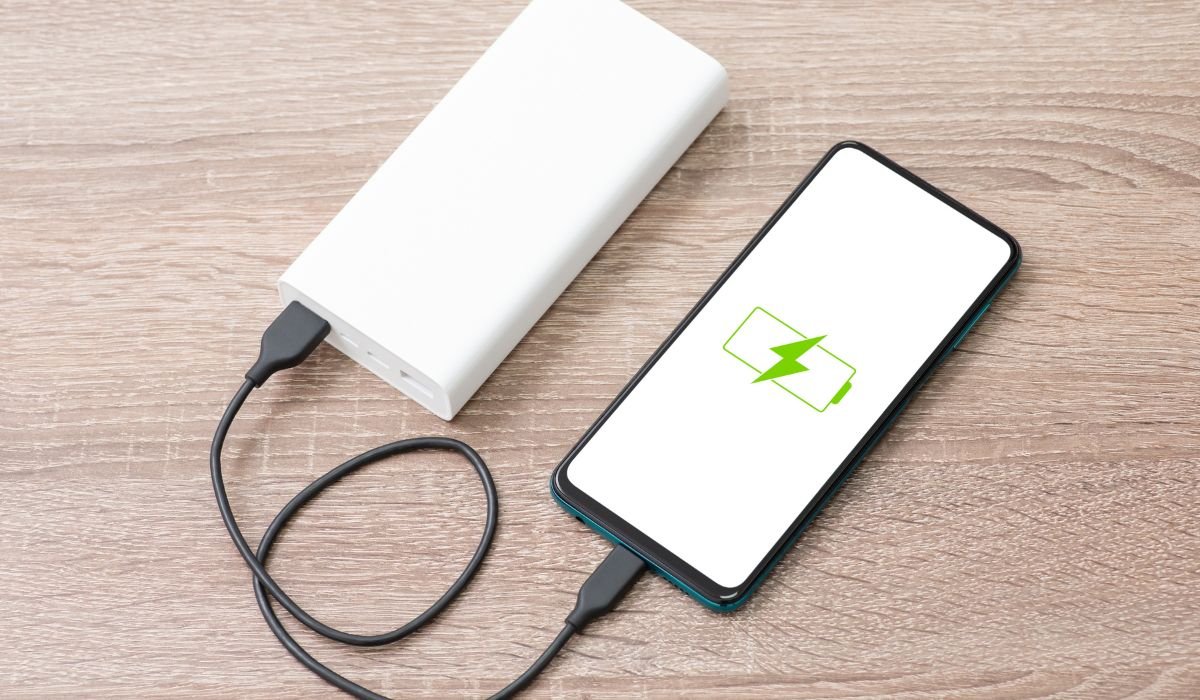
Android phones come in a wide variety, from budget models to high-end flagships. Each of these devices charges at different speeds, typically between 5W and 65W, with some newer models pushing beyond 100W. Understanding how long it takes for an Android to charge is important for both efficiency and convenience.
Charging times can vary significantly based on the phone’s battery capacity and the charging technology used. While some phones can fully charge in as little as 30 minutes, others may take up to 1.5 hours or more. Several factors affect charging speed, such as the charger type, battery health, and whether the phone is in use during charging.
Types of Android Chargers and Their Impact on Charging Time
Android chargers come in different types, and the wattage plays a major role in how quickly your phone charges. Standard chargers typically deliver 5W or 10W, which results in slower charging times. These are common with older or more budget-friendly models. In contrast, fast chargers range from 15W to 100W or more. The higher the wattage, the faster the charging time, meaning a 65W or 100W charger can fill up a phone’s battery significantly quicker than a standard one.
For example, a 5W charger may take a few hours to fully charge a phone, while a 65W charger could do the same job in under an hour. This difference is especially noticeable in high-end models that support faster charging.
The type of cable also matters. Phones with USB-C connections generally charge faster than those with Micro-USB. USB-C allows for higher power delivery, making it ideal for fast charging technologies, while Micro-USB often limits the charging speed.
Battery Capacity and Its Role
Battery capacity is measured in mAh (milliamps per hour), and it plays a significant role in determining how long it takes to fully charge an Android phone. The higher the mAh, the larger the battery, and generally, the longer it takes to charge.
For instance, a phone with a 4000mAh battery will typically charge faster than one with a 5000mAh battery using the same charger. However, if you have a fast charger, even larger batteries can still charge quickly.
Let’s look at an example. A 4000mAh battery paired with a 15W charger might take around 1.5 hours to fully charge. On the other hand, a 5000mAh battery could take closer to 2 hours with the same charger. However, using a 65W charger, both batteries could be charged significantly faster, with the 4000mAh one taking just around 40 minutes and the 5000mAh battery taking about 1 hour.
So, larger batteries require more time to charge unless paired with a more powerful charger.
How Fast Charging Technology Changes the Game
Fast charging technologies like Qualcomm Quick Charge and Power Delivery (PD) have revolutionized how quickly Android phones can charge. These technologies allow for higher wattage transfer, significantly cutting down the time it takes to charge a phone.
With standard charging, most Android phones take 2 to 3 hours to fully charge. However, with fast charging, the time can be slashed by more than half. For example, Qualcomm Quick Charge allows devices to charge up to 50% in just 15-30 minutes, depending on the phone model and charger wattage.
Different brands offer various fast charging capabilities:
| Brand | Fast Charging Capability |
|---|---|
| Samsung Galaxy | 25W to 45W |
| Google Pixel | 18W to 30W |
| OnePlus | Warp Charge at 65W, full charge in under an hour |
| Motorola | TurboPower charging, 15W to 30W |
In short, fast charging technologies drastically reduce waiting times, making it easier to top up your phone’s battery in minutes rather than hours.
Factors That Influence Charging Time
Several factors can influence how long it takes to charge an Android phone, even if you’re using fast charging technology.
- Phone Usage During Charging: If you’re using your phone while charging—especially for activities like gaming or video streaming—it can significantly slow down the charging process. This is because the phone is consuming power while trying to charge, leading to longer charging times.
- Phone’s Battery Health: As a battery ages, it becomes less efficient at holding and receiving a charge. Older batteries may take longer to charge and lose power faster, even when using the same charger. Regular use over time naturally degrades battery health, which can add extra minutes or even hours to charging times.
- Temperature: Charging is most efficient at moderate temperatures. Overheating or extremely cold environments can negatively impact charging speed. High temperatures can cause the phone to throttle charging speeds to prevent overheating, while low temperatures slow down the chemical reactions in the battery, making it harder to charge.
- Charging Habits: The way you charge your phone can also affect charging speed and battery longevity. Topping up your phone throughout the day—rather than letting it fully discharge—helps maintain battery health and keeps charging times consistent. Regularly letting the battery drop to 0% before charging can strain the battery over time, slowing down future charging speeds.
Real-World Examples: How Long It Takes for Different Models to Charge
Different Android models come with varying charging speeds based on their design and charging technologies. Here’s a look at how long it typically takes for some popular models to charge.
Samsung Galaxy S Series
For models like the Samsung Galaxy S23 Ultra, standard charging with a 15W charger can take around 2 hours to fully charge. However, when using a 45W fast charger, the same phone can reach 100% in just about 1 hour. The Samsung Galaxy S21 follows a similar pattern, with faster charging at 25W cutting the charging time in half compared to a standard charger.
Google Pixel Phones
Google’s Pixel 7 Pro, for instance, supports 30W fast charging. While using a standard charger might take about 2-3 hours, the fast charger reduces it to 1-1.5 hours. Older models like the Pixel 4a take longer to charge since they only support 18W charging.
OnePlus and Xiaomi Models
OnePlus phones are known for their Warp Charge technology, which allows models like the OnePlus 9 Pro to charge at 65W. This results in a full charge in about 40 minutes. Similarly, Xiaomi has introduced 120W HyperCharge in models like the Xiaomi 11T Pro, enabling a full charge in under 20 minutes—one of the fastest charging speeds available today.
Tips for Faster Charging
Here are some effective tips to speed up your Android phone’s charging time:
Use of Original or Certified Chargers
Using the manufacturer’s charger or a certified alternative ensures that your phone receives the optimal amount of power. Original chargers are designed to deliver the correct wattage for your device, which speeds up the charging process. Third-party chargers that aren’t certified can slow down charging and may even damage the battery over time.
Enable Airplane Mode or Turn Off Phone
Activating Airplane Mode or turning off your phone while charging cuts off wireless signals like Wi-Fi and mobile data, which reduces background activity. With fewer tasks running, the phone can charge faster since it’s using less power during the process.
Avoid Wireless Charging for Speed
While wireless charging is convenient, it tends to be slower than wired charging. For the quickest charge, stick with a wired connection, especially one that supports fast charging. Wireless chargers generally deliver lower wattage compared to fast-wired chargers, meaning it takes longer to reach a full charge.
Does Overnight Charging Affect the Speed?
Overnight charging typically doesn’t affect the overall charging speed but may involve a slow trickle charge when the phone nears full capacity. Modern Android phones are designed to slow down the charging rate as they approach 100% to prevent battery stress. This trickle charging helps maintain battery health over time.
Additionally, most Android phones have built-in charging limits that stop charging once the battery is full, so there’s no risk of overcharging. These systems ensure that even if you leave your phone plugged in overnight, it won’t continuously charge after reaching full capacity, helping to preserve battery longevity.
Conclusion
Several factors affect Android charging time, including the charger type, battery capacity, phone usage, and environmental conditions like temperature. Using the manufacturer’s charger, enabling Airplane Mode, and sticking to wired charging are all great ways to speed up the process.
For the fastest and safest charge, always opt for fast charging technologies when available, avoid using your phone while charging, and take care of your battery health by avoiding extreme temperatures and frequent full discharges. By following these tips, you can ensure your Android charges quickly and efficiently.
FAQs
1. How long does it take to fully charge an Android phone?
Charging time varies based on the phone model, battery capacity, and charger wattage. It can take anywhere from 30 minutes to 1.5 hours with fast chargers, while standard chargers may take 2 to 3 hours.
2. Does using a fast charger damage my battery?
No, modern Android phones are designed to handle fast charging safely. Built-in safeguards prevent overcharging or overheating, ensuring your battery remains healthy.
3. Can I use any charger for my Android phone?
It’s best to use the manufacturer’s charger or a certified alternative. Using uncertified chargers may slow down charging times or potentially damage your battery over time.
4. Does using my phone while charging slow it down?
Yes, using your phone during charging, especially for tasks like gaming or streaming, can slow down the charging speed as the phone is simultaneously consuming power.
5. Is it safe to leave my phone charging overnight?
Yes, modern Android phones have built-in features that stop charging once the battery reaches 100%, preventing overcharging and maintaining battery health.
6. Does wireless charging take longer than wired charging?
Yes, wireless charging is generally slower than wired charging, especially if you’re using a fast charger with a cable. For quicker charging, stick to a wired connection.


