

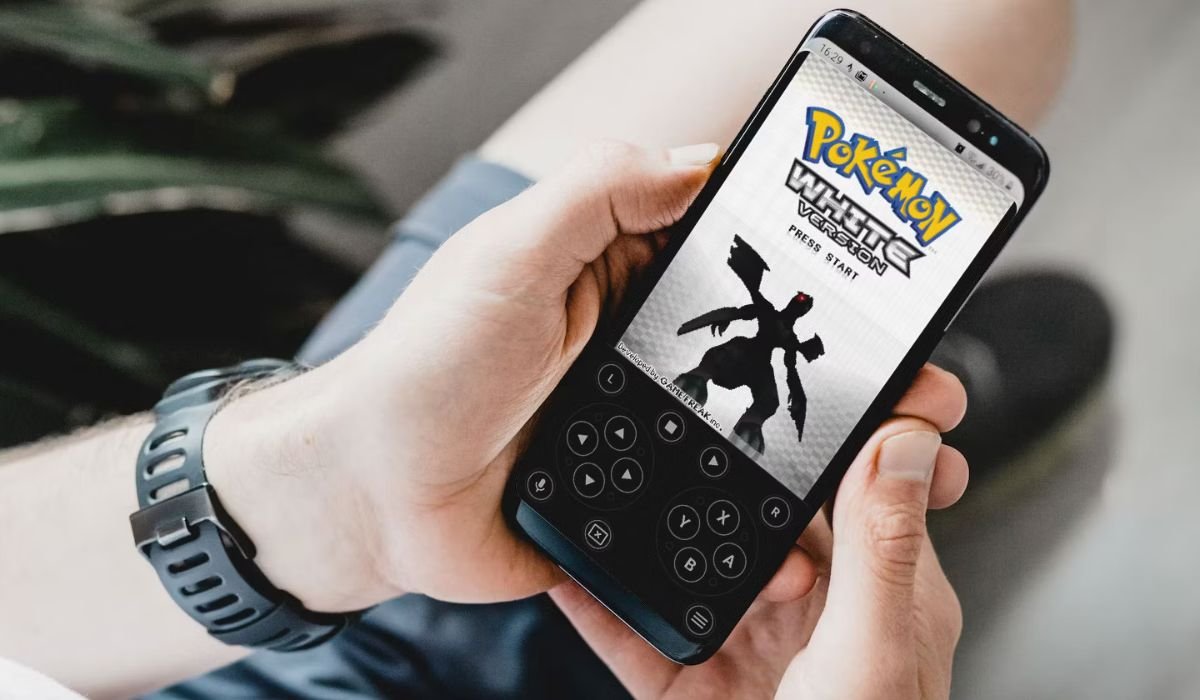
The best Pokémon emulator for Android depends on the games you want to play. DraStic excels for DS titles, My Boy for GBA, and RetroArch for multi-system support. Consider your device’s capabilities and desired features. Always respect copyright laws when using emulators. Ultimately, the best choice balances performance, compatibility, and your gaming preferences.
Pokémon fans worldwide seek ways to revisit beloved games or discover missed titles. Thanks to modern smartphones, classic Pokémon adventures are now accessible on-the-go through emulators. But with numerous options available, choosing the right one can be challenging. Popular choices include DraStic DS Emulator for Nintendo DS games, My Boy and GBA.emu for Game Boy Advance titles, and RetroArch for its versatility across multiple systems. Other notable emulators like PizzaBoy, John GBA, Citra for 3DS games, ClassicBoy Gold, and Nostalgia.GBA offer unique features and compatibility with various Pokémon generations. Each emulator has its strengths, catering to different player preferences and device capabilities.
Key Takeaways
- DraStic DS Emulator leads the pack for Nintendo DS games
- RetroArch offers a versatile, multi-system experience
- Citra brings 3DS Pokémon titles to Android devices
- Legal considerations are important when using emulators
- Performance varies based on your device’s specifications
What is an Emulator?
An emulator is a software that mimics the hardware and software of a different device. In the context of gaming, emulators allow you to play games designed for one system (like a Game Boy or Nintendo DS) on another device, such as your Android smartphone or tablet.
List of The Pokemon Emulator for Android
- DraStic DS Emulator
- My Boy
- RetroArch
- PizzaBoy
- John GBA
- GBA.emu
- Citra
- ClassicBoy Gold
- Nostalgia.GBA
- Lemuroid
- PPSSPP
- Gold ClassicBoy
Also read: Removing Private Number from Android: Easy Guide
Why Is The Best Each Pokemon Emulator
- DraStic DS Emulator: Best Pokemon Emulator for Android
- My Boy: Best for Game Boy Advance
- RetroArch: Best for multi-system emulation
- PizzaBoy: Best for simplicity
- John GBA: Best for customization
- GBA.emu: Best for accuracy
- Citra: Best for 3DS games
- ClassicBoy Gold: Best all-in-one solution
- Nostalgia.GBA: Best for nostalgic GBA experience
- Lemuroid: Best for beginners
- PPSSPP: Best for PSP Pokémon spin-offs
- Gold ClassicBoy: Best for classic system variety
12 Best Pokémon Emulators for Android
1. DraStic DS
Emulator DraStic is the top choice for Nintendo DS emulation on Android. It offers high-speed performance, even on mid-range devices. Features include customizable controls, enhanced graphics options, and save states. It’s perfect for playing Pokémon Diamond, Pearl, Platinum, HeartGold, SoulSilver, Black, White, and their sequels.
2. My Boy
My Boy is a premium Game Boy Advance emulator known for its excellent performance and feature set. It supports link cable emulation, allowing Pokémon trading between devices. With cheat code support, fast-forward options, and external controller compatibility, it’s ideal for GBA Pokémon titles like Ruby, Sapphire, and Emerald.
3. RetroArch
RetroArch is a versatile, multi-system emulator that supports various gaming platforms. It uses “cores” to emulate different systems, including those that run Pokémon games. Features include netplay for online multiplayer, achievement systems, and extensive customization options. It’s a one-stop solution for playing Pokémon across multiple generations.
4. PizzaBoy
PizzaBoy specializes in Game Boy and Game Boy Color emulation, making it perfect for classic Pokémon titles. It offers high compatibility, turbo buttons, and even Game Boy Camera support. With multiple save slots and a focus on accuracy, it’s great for experiencing Pokémon Red, Blue, Yellow, Gold, Silver, and Crystal.
5. John GBA
John GBA is a reliable Game Boy Advance emulator with a clean, user-friendly interface. It features Dropbox sync for save files, BIOS emulation, and cheat code support. The emulator offers customizable skins and performs well across a range of Android devices, making it suitable for all GBA Pokémon games.
6. GBA.emu
GBA.emu is an open-source Game Boy Advance emulator known for high compatibility and advanced features. It supports BIOS emulation, cheat codes, and hardware controllers. With cross-platform support and frequent updates, it’s a solid choice for playing GBA Pokémon titles on Android devices.
7. Citra
Citra brings Nintendo 3DS emulation to Android, opening up a new generation of Pokémon games. It supports 3D functionality, save states, and custom textures. While more demanding on hardware, it allows players to enjoy Pokémon X/Y, Omega Ruby/Alpha Sapphire, and Sun/Moon on their phones.
8. ClassicBoy Gold
ClassicBoy Gold is a multi-system emulator supporting various platforms including GBA, GBC, and more. It features gesture controls, customizable button layouts, and hardware controller support. This versatility makes it great for playing Pokémon games from different eras within a single app.
9. Nostalgia.GBA
Nostalgia.GBA offers a streamlined GBA emulation experience with a focus on user-friendliness. It features cloud save sync, cheat code support, and customizable skins. The emulator also includes fast-forward and slow-motion options, enhancing the gameplay experience for GBA Pokémon titles.
10. Lemuroid
Lemuroid is an open-source, multi-system emulator gaining popularity for its clean interface and simplicity. It supports various systems including GB, GBC, GBA, and DS. Features include auto-save functionality and game scanning. It’s a promising option for playing Pokémon games across multiple platforms.
11. PPSSPP
PPSSPP is primarily a PlayStation Portable emulator, but it’s worth mentioning for Pokémon spin-off titles. It offers high-resolution rendering, save states, and multiplayer support. While not focused on main series Pokémon games, it allows players to experience PSP Pokémon spin-offs on Android devices.
12. ClassicBoy Gold
ClassicBoy Gold is an all-in-one emulator supporting multiple systems including GBA, GBC, NES, PS1, and N64. It offers gesture controls, customizable button layouts, and hardware controller support. This versatility makes it suitable for playing various Pokémon games from different eras within a single app.
Also read: Installing Downloader on Android: A Quick and Easy Guide
How to Install and Set Up an Emulator on Android
Installing a Pokémon emulator on your Android device is generally straightforward:
- Enable installation from unknown sources in your device settings.
- Download the emulator APK from a trusted source.
- Install the APK by tapping on the downloaded file.
- Open the emulator and configure settings as needed.
- Obtain ROM files for the games you want to play (ensure you have the right to do so).
- Load the ROM file through the emulator’s interface.
Most emulators allow you to customize controls, graphics settings, and save locations. Experiment with these options to find the best balance of performance and visual quality for your device.
Key Features to Look for in a Pokémon Emulator
- Save states
- Cheat code support
- Fast forward function
- Customizable controls
- Link cable emulation
- Graphics enhancement options
- Multiplayer capabilities
- Cloud save synchronization
- Gamepad/controller support
- Multiple screen layout options
- BIOS emulation (no separate file needed)
- Save file compatibility with other emulators
- Performance optimization settings
- Auto-save feature
- In-game screenshot capture
Also read: No App Found to Open URL in Android: How to Fix
Criteria for the Best Pokémon Emulator
- High compatibility with Pokémon games
- Smooth performance with minimal lag
- Regular updates and active development
- User-friendly interface
- Stable operation with few crashes
- Customizable graphics and control options
- Support for save states and cheats
- Quick load times for games
- Low battery consumption
- Ability to emulate link cable for trading
- Good sound quality and synchronization


