

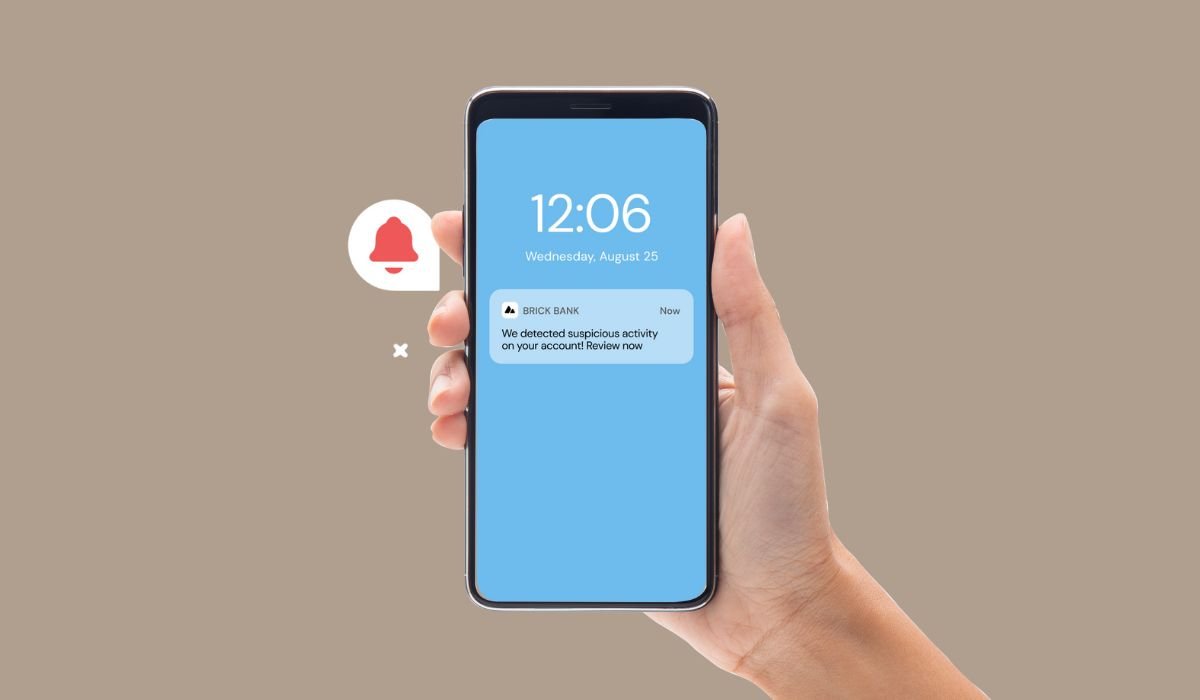
Push notifications are messages sent directly to a user’s mobile device, appearing on the lock screen or in the top section even when the app is not in use. In Android, these notifications are delivered through Google’s Firebase Cloud Messaging (FCM) service, allowing apps to communicate with users in real-time.
Key Takeaways
- Push notifications are external messages sent to Android devices
- They can display text, alerts, sounds, and icon badges
- FCM is the primary service for delivering push notifications on Android
- User permission is required for sending notifications on Android 13+
- Push notifications significantly boost user engagement and retention
How Push Notifications Work
Push notifications operate on a client-server model. Here’s a breakdown of the process:
- The app developer sets up a server to send notifications
- The app on the user’s device registers with FCM to receive a unique token
- The token is sent to the developer’s server
- When an event occurs, the server sends a notification to FCM
- FCM forwards the notification to the user’s device
- The Android system displays the notification to the user
Role of Firebase Cloud Messaging (FCM)
FCM acts as a reliable channel between the app’s server and the user’s device. It handles:
- Message queueing
- Delivery to offline devices
- Battery optimization
Types of Push Notifications
1. Promotional Notifications
These notifications inform users about special offers, discounts, or new products. They’re effective for driving sales and attracting users back to the app.
2. Transactional Notifications
Transactional notifications provide updates on user-initiated actions, such as order confirmations, delivery status, or payment receipts.
3. Reminder Notifications
These notifications prompt users to complete an action or remind them of upcoming events, like appointment reminders or task due dates.
4. Engagement Notifications
Engagement notifications aim to increase user interaction with the app. They might highlight new features, suggest content, or encourage social interactions within the app.
Benefits of Using Push Notifications
Increased User Engagement
Push notifications keep users connected with your app. They:
- Prompt users to open the app
- Deliver timely information
- Encourage specific actions
Real-time Communication
With push notifications, you can:
- Send instant updates
- Alert users to time-sensitive information
- Provide live event coverage
Enhanced User Experience
Well-designed push notifications can:
- Personalize content for individual users
- Offer convenient shortcuts to app features
- Provide valuable information without opening the app
Improved Retention Rates
Studies show that push notifications can:
- Increase app retention by up to 3-10 times
- Boost user engagement by 88%
- Reduce app uninstalls
Implementing Push Notifications in Android
Step-by-Step Guide
- Set up Firebase and create a project
- Add FCM to your app by including the Firebase SDK
- Create a Firebase Service to handle incoming messages
- Register the service in your AndroidManifest.xml
- Request user permission for notifications on Android 13 and above
Best Practices for Implementation
- Personalization: Use user data to send targeted, relevant notifications.
- Timing: Consider user time zones and preferences when scheduling notifications.
- Rich Media: Incorporate images or videos to make notifications more engaging.
- Deep Linking: Enable users to navigate directly to specific app content from notifications.
Challenges and Considerations
User Opt-in and Privacy Concerns
With increasing focus on user privacy, it’s crucial to respect user preferences and provide clear opt-in/opt-out options for notifications.
Managing Notification Frequency
Striking the right balance in notification frequency is key. Too many notifications can lead to user fatigue and app uninstalls, while too few might result in decreased engagement.
Ensuring Relevance and Personalization
To maximize effectiveness, notifications should be tailored to individual user preferences and behaviors. This requires robust user data analysis and segmentation.
Latest Trends in Android Push Notifications
AI-Powered Notifications
Artificial Intelligence is being used to predict the best times to send notifications and to generate personalized content for each user.
Interactive Notifications
Android 14 and above support more interactive elements in notifications, allowing users to take actions directly from the notification without opening the app.
Location-Based Notifications
Geofencing technology enables apps to send notifications based on the user’s physical location, providing highly contextual information.
Silent Notifications
These background notifications update app content without alerting the user, ensuring fresh data is always available when the app is opened.
How Push Notifications Boost User Engagement in Android Apps
Real-Time Communication
Push notifications deliver timely updates to users’ devices, even when the app is inactive. This immediacy encourages users to re-engage with the app.
Personalization
By tailoring messages to individual preferences and behaviors, push notifications become more relevant and appealing to users, increasing the likelihood of engagement.
Rich Media Integration
Incorporating rich media such as images, GIFs, or videos in push notifications can make them more visually appealing and engaging. This multimedia approach captures user attention more effectively than plain text notifications, leading to higher interaction rates.
Optimized Timing and Frequency
Strategic timing based on user activity patterns enhances the effectiveness of notifications. Proper frequency management prevents user fatigue.
Encouraging User Actions
Clear calls-to-action in notifications guide users towards specific behaviors, such as:
- Completing purchases
- Participating in surveys
- Exploring new features
A/B Testing for Optimization
Experimenting with different notification strategies helps identify the most effective engagement methods.
Feedback and Analytics
Monitoring key metrics allows for continuous improvement of notification strategies:
- Open rates
- Click-through rates
- User retention
By leveraging these aspects, push notifications serve as a powerful tool for enhancing user engagement in Android apps, fostering active interaction and improving user retention and satisfaction.
Push Notifications vs. SMS Notifications
Opt-in Process
Push Notifications
- Require app download and explicit permission
- Users have granular control over notification types
SMS
- Requires phone number and opt-in (e.g., texting a keyword)
- Unsubscribing is the primary control method
Delivery Method
Push Notifications
- Delivered via internet
- Work even when app is closed
SMS
- Delivered over cellular networks
- Sent to native messaging app
Message Format
- Push notifications are typically short, up to a few sentences, and can include rich media like images, GIFs, and buttons.
- SMS can be longer, up to 160 characters, and support links, images, and other attachments.
Visibility
Push Notifications
- Appear as pop-ups, badges, or banners
- May get lost among other notifications
SMS
- Stay in messaging inbox until read
- Less likely to be missed
Open Rates
Push Notifications
- Average open rate: 7-40% (app-dependent)
SMS
- Very high open rate: ~98%
- Often read within minutes
Key Differences
- Push notifications are app-based, while SMS are phone number-based
- Push notifications offer more user control but may have lower visibility
- SMS have higher open rates but less flexibility in content format
- Push notifications are internet-dependent, SMS rely on cellular networks
The choice between push notifications and SMS depends on factors like message urgency, target audience, and specific business goals.
Frequently Asked Questions (FAQ)
What is push notification in Android example?
An Android push notification example could be a weather app alerting you about an incoming storm, or a social media app notifying you of a new message. These appear as pop-ups or in the notification tray, even when the app isn’t open.
Should push notifications be on or off?
The decision to keep push notifications on or off depends on personal preference. Keeping them on ensures you stay updated, but turning them off can reduce distractions. Consider enabling notifications only for essential apps to strike a balance.
What is an example of a push notification?
A common push notification example is a food delivery app sending a message like “Your order is on the way!” Other examples include news apps alerting breaking stories, or fitness apps reminding you to complete your daily step goal.
Push notifications on or off?
The choice between push notifications on or off is personal. “On” keeps you informed but may interrupt your focus. “Off” reduces distractions but might make you miss important updates. Consider your priorities and adjust settings accordingly.
Is push notification safe?
Push notifications are generally safe when sent by legitimate apps. However, they can pose privacy risks if misused. Always download apps from trusted sources, review app permissions carefully, and be cautious about sharing personal information through notifications.
What is the purpose of push notification?
The main purpose of push notifications is to engage users and provide timely information. They aim to bring users back to the app, deliver important updates, send reminders, and enhance the overall user experience by providing relevant, real-time communication.


