

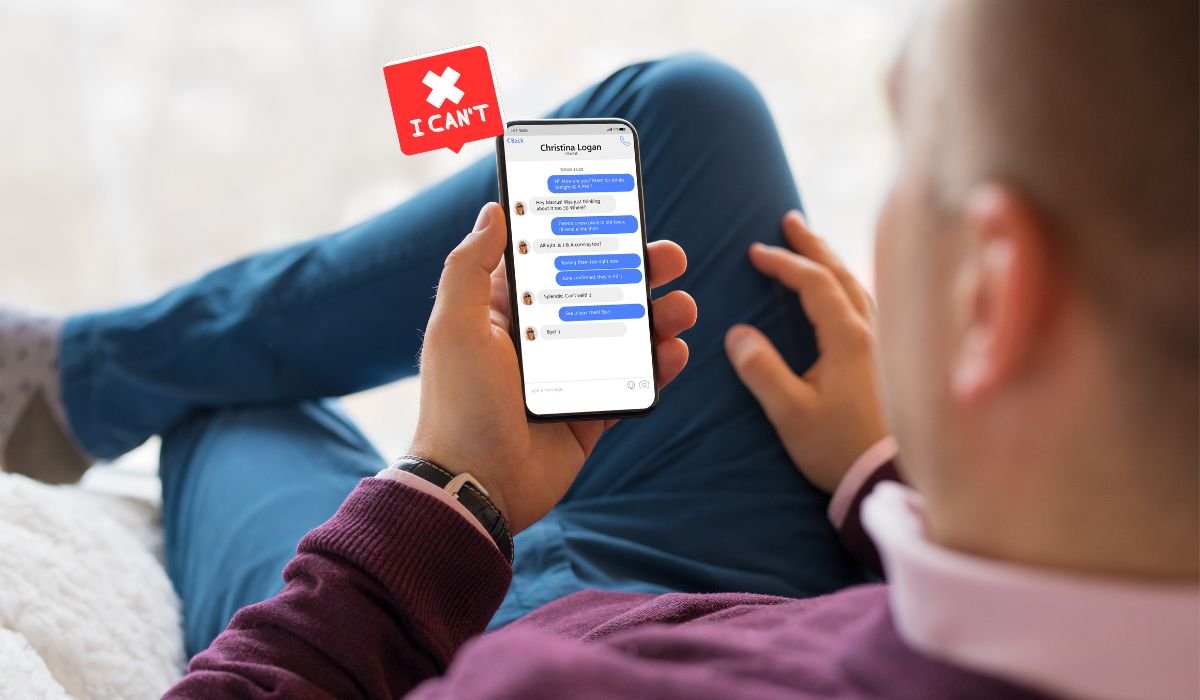
Deleting a Facebook message can be frustrating, especially when it doesn’t work as expected. People often want to remove messages for various reasons. It could be a simple mistake, a message sent in haste, or concerns about privacy.
Understanding why you can’t delete a message can help reduce that frustration and give you more control over your conversations. Whether it’s about protecting personal information or correcting an error, the desire to delete a message is a common need.
Key Takeaway
Always double-check your messages before sending to avoid the need for deletion. Use Facebook’s secret conversations for sensitive content and stay informed about their message deletion policies. Managing your digital footprint is essential for maintaining privacy and control over your online interactions.
Understanding Facebook’s Message Deletion Options
When it comes to deleting Facebook messages, it’s essential to understand the options available.
Deleting for Yourself vs. Everyone
When you delete a message for yourself, it only removes it from your view. The recipient can still see the message. On the other hand, deleting a message for everyone removes it from both your conversation and the recipient’s conversation. However, this option is only available for a limited time.
Time Limit for Deletion
Facebook allows you to delete messages for everyone, but there’s a catch. You must act quickly, as the option is only available for a short period after sending the message. Once this window closes, you can only delete the message for yourself.
Archiving vs. Deleting
Archiving a message simply hides it from your main chat list, but it’s still accessible in the future. Deleting, however, is meant to remove the message completely from the conversation. Many users confuse archiving with deleting, which can lead to misunderstandings when trying to remove messages permanently.
Reasons You Might Not Be Able to Delete a Message
Expired Time Limit
One of the main reasons you can’t delete a message is the expired time limit. Facebook only allows you to delete messages for everyone within a short period after sending. Once this window closes, the delete option for everyone disappears, leaving you with the choice to delete it just for yourself.
Recipient Actions
The actions of the recipient can also affect your ability to delete a message. If the recipient has already seen, reacted to, or even responded to the message, it may no longer be possible to remove it for everyone. These interactions solidify the message in the conversation, making it harder to erase.
Technical Glitches or Errors
Sometimes, technical glitches or errors can prevent you from deleting a message. These could be due to network issues, app bugs, or even an outdated version of the Facebook app. Troubleshooting steps, like restarting the app or updating it, can sometimes resolve these problems. If the issue persists, reaching out to Facebook support might be necessary.
Workarounds and Solutions
Editing the Message
If you can’t delete a message, editing it can serve as a temporary solution. While it doesn’t erase the original text, it allows you to correct mistakes or clarify your point. This way, even if the original message is seen, the updated version can still convey the right information.
Requesting the Recipient to Delete
If deleting isn’t an option, consider asking the recipient to delete the message on their end. Politely explain why you need the message removed, and guide them on how to do it. A simple request, like, “Could you please delete the last message? I sent it by mistake,” can go a long way.
Reporting Issues to Facebook Support
When all else fails, and you encounter persistent problems with deleting messages, reporting the issue to Facebook support is your next step. Navigate to the help section in the app, describe the problem in detail, and submit a report. Facebook’s support team may take some time to respond, but they can provide specific solutions or fixes for the issue you’re facing.
Privacy Concerns and Best Practices
Importance of Double-Checking Before Sending
One of the best ways to avoid the need to delete a message is to double-check before sending. Taking a moment to review your message can prevent mistakes and ensure that what you’re about to send is exactly what you intend. This simple habit can save you from future frustration.
Using Secret Conversations
Facebook’s secret conversations feature provides more control over message privacy. These encrypted chats offer an option to set messages to disappear after a specific time, adding an extra layer of security. Secret conversations are perfect for sensitive information that you don’t want lingering in your chat history.
Managing Digital Footprint
Being mindful of your digital footprint is crucial in today’s connected world. Regularly review and manage your online communications, including Facebook messages, to ensure that nothing sensitive remains accessible longer than necessary. Deleting old conversations and using privacy settings wisely can help you maintain better control over your personal information.
Conclusion
In conclusion, understanding Facebook’s message deletion options can help you manage your conversations more effectively. We’ve covered why you might not be able to delete a message, the differences between deletion and archiving, and potential workarounds when issues arise.
It’s essential to be mindful of the content you send to avoid the frustration of needing to delete messages later. Double-checking before sending, using secret conversations for added privacy, and managing your digital footprint are all best practices to keep in mind.
While Facebook’s message deletion policies may seem limiting, staying informed and careful with your communications can help you navigate these challenges more smoothly. Keep an eye out for any updates to these features, as Facebook may continue to improve how we manage our digital conversations.
Frequently Asked Questions
Can you not delete Facebook messages?
Yes, you can delete Facebook messages, but only for yourself after a certain period. Deleting for everyone is only possible within a limited timeframe after sending the message. Once this period expires, the option to delete for everyone is no longer available.
How do I delete a message notification that won’t go away on Facebook?
To remove a persistent message notification, try marking all messages as read. If that doesn’t work, clear your app’s cache or restart the app. If the issue persists, reinstalling the app or contacting Facebook support may be necessary.
Can I delete a Facebook message I sent?
You can delete a message you sent on Facebook, but only within a short window of time. After that, you can only delete the message from your chat, not from the recipient’s view. To remove it entirely, act quickly after sending.
Why can’t I unsend a message on Facebook?
You might not be able to unsend a message on Facebook if the time limit for deletion has passed. Facebook allows unsending only within a specific period after sending the message. After this time, the option to unsend is no longer available.
Why can’t I delete a conversation on Messenger?
If you can’t delete a conversation on Messenger, it could be due to a technical issue or app bug. Ensure your app is up to date, and try restarting it. If the problem persists, clearing the app cache or reinstalling it might help.
Why can’t I unsend a message on Messages?
On platforms like Facebook Messenger, you can unsend messages within a limited timeframe. If you can’t unsend a message, it’s likely because the time window has expired. Act quickly if you need to remove a message from both your chat and the recipient’s.


