

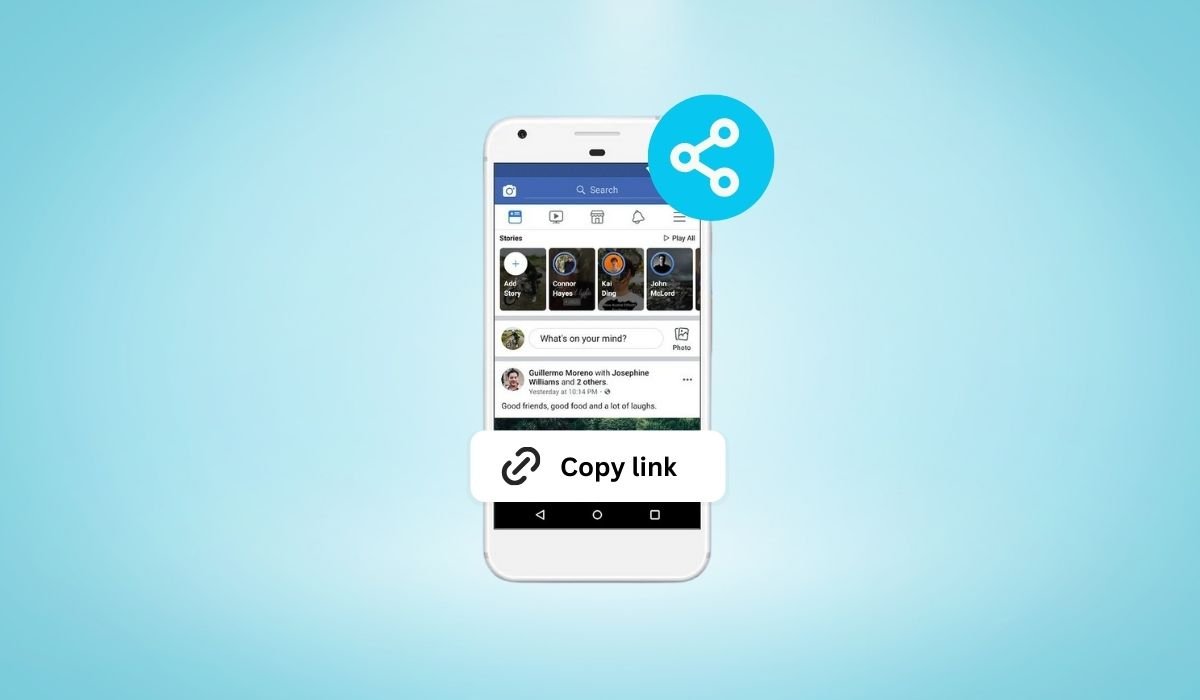
Sharing stories on Facebook is a powerful way to connect with friends and followers. Stories allow users to share moments that disappear after 24 hours, making them perfect for timely updates or special events.
When you share a story link, it becomes easier to reach a wider audience. This convenience means your content can be seen by more people, even those who aren’t actively following your stories.
Key Takeaways
- Facebook Stories are temporary updates that can be easily shared via direct links to reach a wider audience.
- Copying and sharing your story link is simple, whether through direct messaging, other social media platforms, or embedding on websites.
- Privacy settings are crucial; ensure your story is visible to those you want to share the link with.
- Best practices like tagging relevant people and monitoring link performance can maximize the impact of your shared stories.
Understanding Facebook Stories
Facebook Stories are short-lived photos or videos that disappear after 24 hours. They appear at the top of the Facebook app, making them easily accessible to viewers. Stories are popular because they’re quick, engaging, and perfect for sharing moments as they happen.
Unlike regular posts, which stay on your profile permanently unless deleted, stories are temporary. Posts are typically used for more permanent updates, while stories are ideal for sharing everyday moments, special events, or quick updates that don’t need to stay on your profile long-term.
Why Share a Story via Link?
Understanding Facebook Stories
Facebook Stories are short photo or video updates that last for 24 hours. They’re designed to be quick, engaging, and more personal than regular posts. Stories appear at the top of the Facebook app, making them easily accessible and highly visible.
Unlike regular posts, which stay on your profile or timeline, stories are temporary. They’re meant for sharing moments that don’t need to stick around forever. This temporary nature encourages more casual and spontaneous sharing, making stories a popular feature on Facebook.
Why Share a Story via Link?
Sharing a story via link offers several benefits. It provides easy access to your content, allowing others to view your story with just a click. This direct sharing method is ideal when you want to ensure your story reaches a specific audience.
There are many scenarios where sharing a story link is useful. For instance, if you’re promoting a product or event, a direct link can help more people view it. It’s also handy for reaching non-Facebook users who might not see your story otherwise. By sharing a link, you make it easy for anyone to engage with your content, no matter where they are.
Step-by-Step Guide to Copy a Link to Your Facebook Story
1. Accessing Your Story:
- Open the Facebook app and tap on your profile picture to view your story.
- Ensure you’re looking at the specific story you want to share.
2. Finding the Share Option:
- Once your story is open, look for the three-dot menu or the “More” button, usually located at the bottom right or top corner.
- Tap on this menu to see additional options.
3. Copying the Link:
- In the menu, you’ll find an option labeled “Copy Link” or “Share via Link.”
- Tap this option, and the link to your story will be copied to your clipboard.
4. Alternative Method via Facebook Desktop:
- If you’re using Facebook on a desktop, navigate to your story by clicking on your profile picture.
- Once your story is open, click the three-dot menu and select “Copy Link.”
- The link will be copied, ready for you to share wherever you like.
Sharing the Story Link
1. Sharing via Direct Messaging:
- After copying the story link, open Facebook Messenger or any other messaging app.
- Start a conversation with the person or group you want to share the story with.
- Paste the copied link into the message field and send it. The recipient can now view your story directly by clicking the link.
2. Sharing on Other Social Media Platforms:
- To share the story link on platforms like Twitter, Instagram, or WhatsApp, first open the app where you want to share the link.
- Create a new post, tweet, or status update.
- Paste the copied link into the text box and add any additional text or hashtags.
- Share the post, and your followers on that platform can now view your Facebook story.
3. Embedding the Link on Websites or Blogs:
- If you want to share your story link on a website or blog, start by copying the link.
- In your website’s editor or blog post, choose where you want to place the link.
- Paste the link directly into the text or use an HTML editor to create a clickable hyperlink.
- Once published, visitors to your site can click the link and view your Facebook story directly from your website or blog.
Troubleshooting Common Issues
1. Share Button Not Visible:
- If you can’t find the share button on your story, it might be due to privacy settings. Ensure your story is set to “Public” or shared with specific friends who can access it.
- If the problem persists, try restarting the Facebook app or updating it to the latest version.
2. Issues Copying Links on Different Devices:
- On iOS: If you’re unable to copy the link on an iPhone, make sure you’re tapping the correct option. Sometimes, a long press on the story can reveal additional sharing options.
- On Android: If the link isn’t copying correctly, try using a different browser or accessing Facebook through the desktop site to copy the link.
3. Ensuring the Link Works for All Viewers:
- If people are having trouble accessing your story via the link, double-check your story’s privacy settings. The story must be visible to anyone with the link.
- Also, make sure the story hasn’t expired, as links to expired stories will no longer work.
These quick fixes should help resolve most common issues when sharing a Facebook story link.
Best Practices for Sharing Story Links
1. Make Your Stories Engaging:
- Before sharing your story link, ensure the content is compelling. Use eye-catching visuals, relevant hashtags, and clear messages to grab attention.
- Consider adding text overlays or interactive elements like polls or questions to increase engagement.
2. Tag Relevant People or Pages:
- Tagging relevant friends, influencers, or pages in your story can help broaden your reach. This also increases the chances of your story being shared by others, giving it more visibility.
3. Consider Privacy Settings:
- Make sure your story’s privacy settings align with your sharing goals. If you want the story to be widely accessible, set it to “Public.” For more targeted sharing, use “Friends” or “Custom” settings.
- Remember, the link will only work for people who have access based on these settings.
4. Use Descriptive Text When Sharing:
- When sharing your story link on other platforms or via messaging, include a brief description or call to action. This provides context and encourages people to click the link.
5. Monitor Link Performance:
- Track how your story links perform. If you notice higher engagement from specific platforms or audiences, focus your efforts there in the future.
- Consider using URL shorteners with tracking features to monitor clicks and engagement.
Following these best practices will help ensure that your shared story links reach the right audience and make the desired impact.
Conclusion
Sharing Facebook story links is a simple yet powerful way to expand your reach and connect with a broader audience. By following the steps outlined, you can easily share your stories across various platforms and ensure they’re seen by the people who matter most.
Whether you’re promoting content, engaging with followers, or reaching out to new audiences, sharing your story link makes it effortless for others to view and interact with your content. Remember to follow best practices to maximize the impact of your shared stories, ensuring they are both engaging and accessible.
With these tips, you’re well-equipped to share your Facebook stories effectively and make the most of this versatile feature.
FAQs
Can I share a link to someone else’s story?
No, Facebook currently doesn’t allow users to share direct links to someone else’s story. You can only share a link to your own stories. If you want to share someone else’s story, you would need to use the “Share” feature available within the app, but this does not create a direct link.
What happens if I share a story link after the story expires?
If you share a story link after it has expired (after 24 hours), the link will no longer work. Anyone who clicks on it will receive a message that the story is no longer available. It’s important to share your story link while it is still active.
How do I share a story link in a Facebook group?
To share your story link in a Facebook group, first copy the link as described in the steps earlier. Then, navigate to the group where you want to share the link, create a new post, and paste the link into the post. This way, group members can click on the link and view your story directly from the group.


