

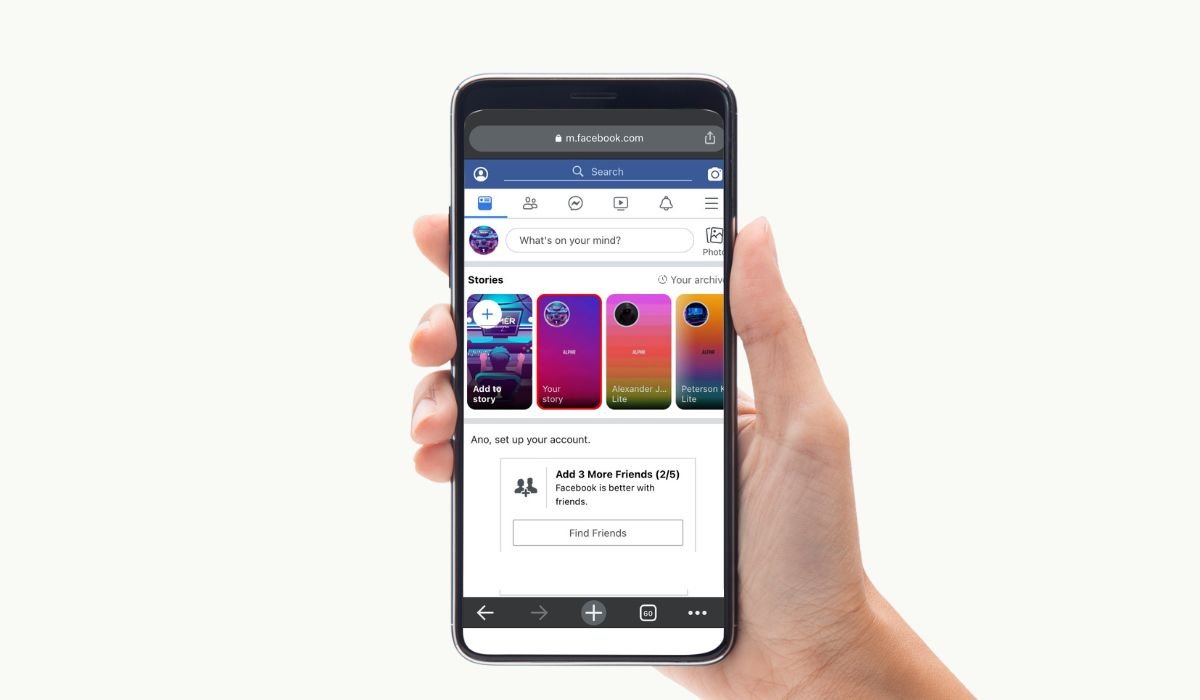
Facebook Story Highlights offer users a way to showcase their favorite moments beyond the usual 24-hour limit of regular stories. These highlights stay on your profile indefinitely, allowing both friends and the public (depending on your settings) to revisit those moments whenever they want.
For some users, the ability to see who views their highlights is a matter of curiosity, engagement, or even security. Knowing who engages with your content can offer insight into your audience, whether you’re an influencer tracking your followers, a business monitoring customer interest, or simply someone concerned about online privacy.
However, there are common misconceptions surrounding the visibility of Facebook Story Highlights. Many believe that Facebook provides detailed data about who views these highlights, but the reality is more limited than users might expect. This blog will clarify what you can and can’t see when it comes to your Facebook Story Highlights.
Understanding Facebook Story Highlights
Facebook Story Highlights are a feature that allows users to pin selected stories to their profile permanently, creating a curated collection of important or memorable moments. Unlike regular stories, which disappear after 24 hours, story highlights are displayed under your profile picture for easy access by both you and your friends or followers.
Difference Between Regular Stories and Story Highlights
The main difference between regular Facebook stories and story highlights is their lifespan. Regular stories are visible for 24 hours and then disappear unless saved by the user, while story highlights remain on your profile indefinitely until you manually remove them. Additionally, while regular stories allow you to see who viewed them within that 24-hour window, story highlights do not provide the same viewer data once they are saved.
How Long Story Highlights Remain Visible on Your Profile
Story highlights do not expire and stay visible on your Facebook profile as long as you choose. You can update, delete, or reorganize them at any time, making them a flexible tool for personal expression, brand promotion, or sharing key moments with your audience.
Can You See Who Viewed Your Story Highlights?
Unlike regular stories, where you can see who viewed your content for up to 24 hours, Facebook does not offer the same level of viewer tracking for story highlights. Once a story is added to your highlights, the platform does not provide any information about who has viewed it. This limitation leaves many users wanting more insight, especially those curious about audience engagement or concerned about privacy.
Explanation of Who Can View Story Highlights (Friends vs. Public)
The visibility of your Facebook story highlights depends on your privacy settings. You can choose to share your highlights with:
- Friends: Only your Facebook friends can see the highlights.
- Public: Anyone on Facebook, including people not on your friends list, can view your highlights if your profile is set to public. These privacy settings allow you to control who has access to your content, though you won’t know exactly who is viewing your highlights.
What Facebook Allows You to See Regarding Views
Unfortunately, after a story becomes a highlight, Facebook does not track or display specific viewer data. While you can see who viewed your story within the first 24 hours before it’s added to the highlights, that information is no longer available once it’s saved. This lack of post-highlight viewing data is a key limitation, meaning you won’t be able to see who is revisiting or engaging with your highlights. However, you can still gauge engagement through likes, comments, and reactions if these interactions are enabled on your content.
How to Check Who Viewed Your Stories (Temporary Stories)
- Open the Facebook App: Launch the Facebook app on your mobile device and log in if necessary.
- Navigate to Your Stories: At the top of your News Feed, you’ll see your profile picture under the “Your Story” section. Tap on it to view your active story.
- Swipe Up or Tap on the Viewers Icon: While viewing your story, swipe up on the screen or tap the small icon at the bottom left (which looks like an eye). This icon will show you the total number of viewers along with a list of the individual profiles that have watched your story.
- View the List of Story Viewers: You can scroll through the list to see exactly who has viewed your story, as well as any reactions or comments they’ve left.
- Tracking During the 24-Hour Window: Remember, you can only see this viewer data for the 24 hours that the story is live. Once the story disappears, so does the ability to see who viewed it.
How This Differs from Story Highlights
Once a story is saved as a highlight, Facebook no longer tracks or displays who has viewed it. The ability to see viewers is exclusive to the 24-hour lifespan of a regular story. After a story transitions to a highlight, the detailed viewer list becomes inaccessible, and the only engagement insights you can track are reactions, comments, or shares, if they are allowed for your highlights.
Myths and Misconceptions
Clarifying False Claims (Third-Party Apps, Extensions, etc.)
There are several misconceptions about being able to see who viewed your Facebook Story Highlights, many of which are fueled by misleading information or the promotion of third-party apps and browser extensions. These apps or extensions often claim to reveal who has viewed your highlights, but they should be approached with caution. In reality, Facebook does not allow third-party tools to access such data, and many of these apps are scams designed to collect personal information or compromise your account security.
It’s essential to note that no legitimate third-party service can bypass Facebook’s privacy settings to provide viewer information for story highlights. Trusting such tools could put your personal data at risk.
Why Facebook Does Not Offer Viewer Data for Story Highlights
Facebook’s decision not to offer detailed viewer data for story highlights likely stems from privacy concerns and user experience choices. Allowing access to who views highlights could potentially lead to privacy violations, making users feel uncomfortable about their content consumption being tracked long-term.
Additionally, story highlights are designed to be a permanent showcase of moments, and tracking viewers beyond the 24-hour story window would complicate the platform’s privacy dynamics. Facebook aims to strike a balance between content sharing and user privacy, which is why detailed viewer insights are limited to temporary stories and are not extended to highlights.
Privacy Settings for Story Highlights
How to Adjust Your Story Privacy Settings To control who can view your story highlights, follow these steps:
- Open the Facebook App
Launch the app and navigate to your profile. - Go to Your Story Settings
Tap on the three horizontal lines (menu) at the top right. Scroll down and select “Settings & Privacy,” then tap on “Settings.” - Access Story Settings
Scroll down to the “Privacy” section and tap on “Story Settings.” - Adjust Privacy Options
Under “Story Privacy,” you can choose from the following options:- Public: Anyone on Facebook can view your story and highlights.
- Friends: Only your Facebook friends can see your story and highlights.
- Custom: Allows you to select specific friends who can see your story or block certain people.
- Save Changes
Once you’ve selected your preferred privacy setting, it will automatically apply to future stories and highlights.
Choosing Who Can See Your Highlights
You can further adjust who can see specific story highlights by:
- Tapping the highlight on your profile.
- Selecting “Edit Highlight.”
- Under the “Audience” section, you can choose “Public,” “Friends,” or customize the audience for that highlight specifically.
This customization ensures you have control over who can revisit the highlights you choose to feature on your profile.
Importance of Audience Selection for Highlights
Choosing the right audience for your story highlights is crucial for both personal and privacy reasons. For instance:
- Public Profiles: If you are using Facebook to build a brand or reach a broader audience, setting highlights to “Public” makes your content more accessible.
- Private Profiles: For personal content or moments you prefer to share with close friends, limiting the audience to “Friends” or a custom list ensures your highlights remain within your circle.
Making thoughtful audience choices can protect your privacy and tailor the experience to your goals on Facebook, whether it’s keeping things personal or maximizing engagement with a larger audience.
Alternatives to Viewer Data
Engagement Metrics to Track (Reactions, Comments, Shares)
While Facebook does not provide direct viewer data for story highlights, you can still use other engagement metrics to gauge interest and interaction with your highlights. These include:
- Reactions: Users can react to highlights with emojis such as likes, hearts, or laughs. Monitoring the type and number of reactions can give you a sense of who is engaging with your content.
- Comments: If comments are enabled on your story highlights, you can track who is commenting and what they are saying. Comments provide valuable feedback and engagement, offering insights into how viewers are connecting with your content.
- Shares: While rare for personal highlights, shared story content can indicate interest. If a user shares your highlight, it signals that the content resonated with them, prompting them to share it with their network.
Using These Insights to Gauge Who Might Be Viewing Your Highlights
Although you can’t see exactly who views your story highlights, the available engagement metrics can serve as an alternative way to understand your audience:
- Reactions and Comments: If certain individuals frequently react or comment on your highlights, it suggests that they are consistently viewing and engaging with your content. These interactions can help you identify who among your audience is most interested in your story highlights.
- Patterns of Engagement: By observing who regularly engages with your content, you can make educated guesses about your core audience. For example, if you notice that certain friends or followers always comment on your story updates, it’s likely they are paying close attention to your highlights as well.
- Content Adjustments Based on Engagement: You can use these insights to adjust your future highlights. For example, if you notice certain topics or moments receive more engagement, you may choose to create more similar content to maintain interest and increase interaction.
Tracking engagement through reactions, comments, and shares offers a way to understand your audience without needing direct viewer data for story highlights.
Future Possibilities
Speculation on Whether Facebook Will Introduce the Ability to See Highlight Viewers
As of now, Facebook does not allow users to see who has viewed their story highlights. However, it’s possible that Facebook may introduce this feature in the future. As privacy concerns continue to evolve, platforms like Facebook often adapt their features to meet user demands. With growing interest in knowing who interacts with content, especially among influencers, businesses, and marketers, Facebook may explore adding more detailed viewer data for highlights, similar to their real-time story viewer data.
That said, Facebook has historically balanced privacy and engagement, so if such a feature were introduced, it would likely come with strict privacy settings to let users control who sees their highlights and who can track viewership.
What Other Social Media Platforms Offer in Terms of Viewer Data (Instagram, Snapchat, etc.)
Many users turn to other platforms that offer more robust viewer insights for stories and highlights. Here’s a look at how some popular social media platforms handle viewer data:
- Instagram: On Instagram, users can see who views their stories within a 24-hour window, similar to Facebook. However, once stories are saved as highlights, Instagram does not provide detailed viewer information. Like Facebook, the focus remains on real-time interaction, with saved highlights not showing who has viewed them after the initial 24 hours.
- Snapchat: Snapchat allows users to see who has viewed their stories while they are live, but like Facebook and Instagram, it does not display viewer data after the story expires or if saved in the form of highlights (known as “Memories”). Snapchat also provides information on who takes screenshots of stories, an extra layer of engagement data.
- LinkedIn: For stories posted on LinkedIn, users can see who viewed their stories for the entire time they are live. However, there are no highlight features on LinkedIn, so long-term viewer data isn’t a concern here.
Facebook might adopt strategies from these platforms, particularly Instagram, given that they are both owned by Meta. Adding viewer data for highlights could provide a consistent experience across both platforms while giving users greater insights into how their content is received. However, privacy and user control would likely be key factors in any such update.
Conclusion
In summary, Facebook Story Highlights are a great way to showcase important moments that you want to keep on your profile beyond the typical 24-hour story lifespan. While regular stories allow you to see who viewed them within a 24-hour window, story highlights do not provide any data on who has viewed them after they are saved. This has led to several myths and misconceptions, particularly with third-party apps falsely claiming to offer this information.
You can, however, use engagement metrics like reactions, comments, and shares to get a sense of who might be interacting with your highlights. Adjusting your privacy settings for both regular stories and highlights ensures you have control over who can view your content, whether it’s set to friends or public.
In terms of privacy, Facebook’s decision not to offer viewer data for story highlights reflects its focus on protecting users’ comfort and privacy. While future updates may provide more insights into highlight viewership, for now, users must rely on engagement indicators rather than detailed viewership data. Ultimately, understanding and adjusting your privacy settings will help you maintain control over the visibility of your story highlights while respecting others’ privacy.
Frequently Asked Questions
Can someone see I viewed their Facebook highlights?
No, once a story is saved as a highlight on Facebook, the platform does not show who viewed it. You can only see who viewed your story within the first 24 hours, but after it becomes a highlight, viewership data is no longer available.
Can you see who viewed story highlights?
Unfortunately, Facebook does not provide the ability to see who viewed your story highlights. You can only see viewer data for stories during the first 24 hours. Once they are saved as highlights, this information is no longer accessible.
How to view Facebook highlights anonymously?
Currently, there is no guaranteed way to view Facebook highlights anonymously. Facebook does not display viewers for highlights, so if you view someone’s highlights, they won’t be notified or see your name in a viewer list.
Does Facebook Stories show who viewed?
Yes, Facebook Stories shows who viewed them, but only for 24 hours. During this time, you can see the list of viewers by swiping up on the story. After 24 hours, the story expires, and viewership data disappears.
How can I see who viewed my Facebook story if we aren’t friends?
If your story privacy is set to “Public,” you can see everyone who viewed your story, including those who aren’t friends. However, if it’s set to “Friends,” only your friends will appear in the viewer list.
Can you view a Facebook story without them knowing?
No, Facebook notifies users when someone views their story within the first 24 hours. However, if you view a story after it becomes a highlight, Facebook does not notify the user or provide any viewer data.


