

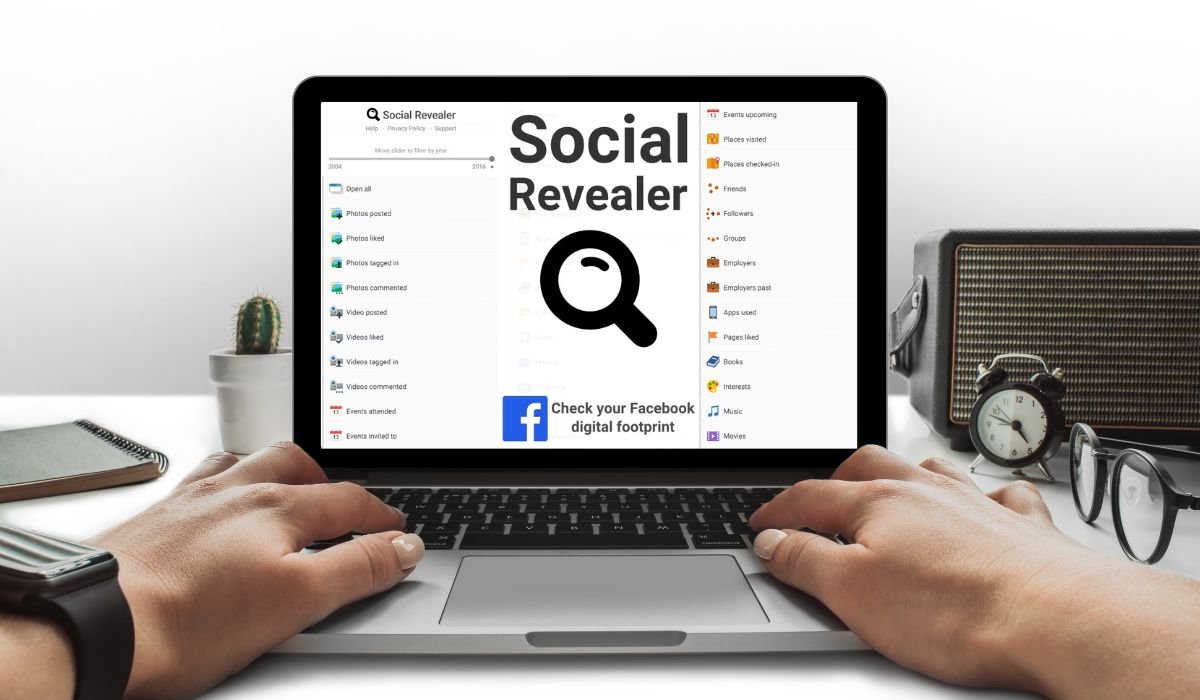
Social Revealer is a handy tool designed to uncover hidden information on Facebook profiles. Whether you’re curious about someone’s posts, friends, or interactions, this tool can reveal what’s often kept out of plain sight.
For Facebook users, tools like Social Revealer are becoming increasingly important. They offer a deeper insight into profiles, which can be useful for personal research, social media management, or just satisfying curiosity.
This blog will guide you through using Social Revealer effectively, ensuring you get the most out of this powerful tool.
Key Takeaways
- Social Revealer allows users to uncover hidden information on Facebook profiles, offering deeper insights into posts, likes, and friends lists.
- The tool is easy to install and use, with compatibility for major browsers like Chrome and Firefox.
- Ethical use is crucial—always respect privacy and consider the legal implications before accessing hidden data.
- There are alternative tools available, such as Intelligence X and StalkScan, each offering unique features for specific needs.
What is Social Revealer?
Social Revealer is a browser extension that unlocks hidden information on Facebook profiles. It’s designed to help users access content that isn’t usually visible, such as hidden posts, liked pages, or friends lists.
The primary function of Social Revealer is to reveal hidden sections of Facebook profiles that are typically restricted by privacy settings. It does this by compiling all the information into a single view, making it easier to explore a person’s activity and connections.
Using Social Revealer can be highly beneficial for those who want deeper insights into Facebook profiles. Whether for research, managing social media accounts, or simply understanding someone’s online presence better, this tool provides valuable information that would otherwise remain hidden.
Why Use Social Revealer?
Social Revealer is incredibly useful in various scenarios. For instance, if someone is conducting research on social media behavior or managing multiple accounts, this tool can provide insights that are not easily accessible. It’s also helpful for understanding connections and interactions that might be hidden from public view.
By using Social Revealer, users can uncover hidden posts, likes, and friends that are otherwise restricted by privacy settings. This can be particularly useful for gathering comprehensive data or verifying information about a person’s social media activity.
However, it’s essential to use Social Revealer responsibly. While the tool offers access to hidden data, it’s crucial to respect privacy and avoid using the information in unethical ways. Users should always consider the ethical implications and ensure they are not violating any privacy standards while using this tool.
How to Install Social Revealer
Step 1: Open Your Browser
- Social Revealer is compatible with popular browsers like Google Chrome and Mozilla Firefox. Make sure you’re using one of these browsers.
Step 2: Visit the Chrome Web Store or Firefox Add-ons
- In Chrome, go to the Chrome Web Store.
- In Firefox, visit the Firefox Add-ons site.
Step 3: Search for Social Revealer
- In the search bar, type “Social Revealer” and hit enter.
Step 4: Add to Your Browser
- Click on the “Add to Chrome” button if you’re using Chrome, or the “Add to Firefox” button if you’re on Firefox.
- Confirm the installation by clicking “Add Extension” when prompted.
Step 5: Pin the Extension
- After installation, you’ll see the Social Revealer icon in your browser’s toolbar.
- For easy access, pin it by clicking on the puzzle piece icon in Chrome or the toolbar menu in Firefox, and then selecting “Pin” next to Social Revealer.
Step 6: Access Social Revealer
- Now, you can start using Social Revealer by clicking on its icon whenever you’re on Facebook.
Following these simple steps will have you up and running with Social Revealer in no time. If you’re new to using browser extensions, this guide makes the process straightforward and hassle-free.
(Note: I would typically include screenshots here to visually guide users through each step, but since I can’t generate images in this response, imagine each step paired with a corresponding screenshot for clarity.)
Here’s summarised on a table:
| Step | Action |
|---|---|
| 1 | Open Browser (Chrome or Firefox) |
| 2 | Visit Extension Store (Chrome Web Store or Firefox Add-ons) |
| 3 | Search for Social Revealer |
| 4 | Add Extension |
| 5 | Pin the Extension |
| 6 | Start Using |
Step-by-Step Guide to Using Social Revealer on Facebook
Step 1: Log into Your Facebook Account
- Start by logging into your Facebook account through the browser where you’ve installed Social Revealer.
Step 2: Navigate to the Desired Profile
- Go to the Facebook profile you want to explore. This can be your profile or someone else’s, depending on what you’re interested in uncovering.
Step 3: Open Social Revealer
- Click on the Social Revealer icon in your browser’s toolbar. This will activate the tool, allowing it to gather and display hidden information.
Step 4: Explore Hidden Sections
- Once activated, Social Revealer will present you with options to view various hidden sections of the profile. You can choose to view hidden posts, liked pages, friends lists, and more.
- Simply click on the section you want to explore, and Social Revealer will fetch the relevant data for you.
Step 5: Analyze the Data
- Take your time to go through the information Social Revealer uncovers. This could include posts that aren’t visible to the public, private friends lists, or other interactions that were hidden.
- Use this data responsibly, especially if you’re analyzing someone else’s profile.
Step 6: Export Information (Optional)
- If you need to save the data for later, Social Revealer often provides an option to export the information. Look for an export button or download option within the tool.
- Exporting allows you to save the information in a format that can be easily reviewed or analyzed offline.
Step 7: Log Out or Close the Tool
- After you’re done using Social Revealer, you can simply close the tool by navigating away from the profile or clicking on the Social Revealer icon again.
- Remember to log out of your Facebook account if you’re using a shared or public computer to ensure your privacy.
Following this guide will help you make the most out of Social Revealer, allowing you to uncover hidden data on Facebook profiles with ease. Always use the tool responsibly and respect the privacy of others.
Here’s summarised on a table, follow these simple step:
| Step | Action |
|---|---|
| 1 | Log into Facebook |
| 2 | Go to Profile |
| 3 | Open Social Revealer |
| 4 | Select Sections |
| 5 | Review Information |
| 6 | Export Data (Optional) |
| 7 | Close Tool |
Safety and Privacy Considerations
Respecting Privacy
- When using Social Revealer, it’s crucial to remember that the tool gives access to information that others may have chosen to keep private. Respecting privacy is not just an ethical responsibility; it’s also about maintaining trust and integrity online. Always ask yourself if accessing certain information is necessary or if it crosses a personal boundary.
Legal and Ethical Considerations
- Using Social Revealer comes with legal and ethical responsibilities. Depending on your location, accessing certain types of information without permission could violate privacy laws. Be aware of your local regulations regarding data privacy and online behavior. Ethically, it’s important to use the tool in a way that does not harm others or misuse their information.
Securing Your Own Profile
- To protect your own privacy, take steps to secure your Facebook profile. Review and update your privacy settings regularly to ensure that your personal information is only visible to those you trust.
- Avoid accepting friend requests from people you don’t know, as they could use tools like Social Revealer to access your private data.
- Regularly monitor your account activity to spot any unauthorized access, and enable two-factor authentication for an extra layer of security.
By keeping these considerations in mind, you can use Social Revealer responsibly and ethically, while also safeguarding your own online presence.
Common Issues and Troubleshooting
1. Social Revealer Not Loading Data
- Problem: Sometimes, Social Revealer might not load the hidden data from a Facebook profile.
- Solution: Refresh the Facebook page and try again. Ensure that your browser is up to date and that Social Revealer is properly installed. If the issue persists, consider disabling other browser extensions that might be interfering.
2. Browser Compatibility Issues
- Problem: Social Revealer may not function properly on certain browsers.
- Solution: Make sure you’re using a supported browser like Google Chrome or Mozilla Firefox. If you’re using a different browser, try switching to one of these to see if the problem is resolved.
3. Extension Conflicts
- Problem: Other browser extensions might conflict with Social Revealer, causing it to malfunction.
- Solution: Disable or uninstall other extensions that may interfere, especially those related to privacy, security, or social media. Restart your browser after making these changes.
4. Limited Access to Hidden Information
- Problem: Social Revealer might not display all the hidden information you’re expecting.
- Solution: This could be due to Facebook’s privacy settings or recent updates that limit access. Ensure that you’re logged into the correct account and that Social Revealer is the latest version. If certain data remains inaccessible, it may be protected by Facebook’s enhanced privacy settings, which cannot be bypassed.
5. Exporting Data Issues
- Problem: Difficulty in exporting data or saving the information retrieved by Social Revealer.
- Solution: Ensure that the export feature is supported by your version of Social Revealer. If the export button doesn’t work, try a different browser or update the extension. Alternatively, manually save the information you need by taking screenshots or copying data into a document.
Where to Get Help
- If you encounter issues that you cannot resolve, visit the Social Revealer support page or the browser’s extension store for help. You can also check online forums or communities where users share tips and solutions. For persistent problems, consider reaching out to the developer directly through their support channels.
By following these troubleshooting tips, you can overcome common issues with Social Revealer and continue using the tool effectively.
Alternatives to Social Revealer
1. Intelligence X
- Features: Intelligence X allows users to search for historical data on Facebook profiles, including deleted or hidden posts. It’s known for its deep search capabilities across multiple platforms.
- Pros: Offers a comprehensive search feature that can retrieve older data that may not be visible on Facebook anymore.
- Cons: The interface can be complex for new users, and some features may require a subscription.
- When to Use: Ideal for those needing extensive historical data or searching across multiple social media platforms.
2. StalkScan
- Features: StalkScan is a tool that provides a visual interface for exploring public data on Facebook profiles. It allows users to see what information is available publicly without breaching privacy settings.
- Pros: Simple and easy-to-use interface with no need to install anything; it’s accessible directly from the web.
- Cons: Limited to public data only; it doesn’t reveal hidden or private information like Social Revealer.
- When to Use: Best for users who want to explore what is publicly available without installing a browser extension.
3. PeopleFindThor
- Features: PeopleFindThor aggregates data from various online sources, including Facebook, to provide a detailed report on individuals. It’s more of a people search tool with integration into social media platforms.
- Pros: Comprehensive data aggregation from multiple sources, providing a broader view of someone’s online presence.
- Cons: It’s not focused solely on Facebook, and it might pull in irrelevant data from other sources. Also, some features are paid.
- When to Use: Suitable for those looking for a broad overview of a person’s online presence beyond just Facebook.
When to Use an Alternative
- If you need a tool that retrieves historical data: Intelligence X is a better choice than Social Revealer, especially when looking for older or deleted content.
- If you want to avoid privacy concerns: StalkScan is preferable for exploring publicly available information without delving into private or hidden data.
- If you’re looking for a broader search: PeopleFindThor offers insights beyond Facebook, making it a good choice for comprehensive online investigations.
Choosing the right tool depends on your specific needs. While Social Revealer is excellent for uncovering hidden Facebook information, these alternatives offer unique features that might better suit different situations.
Conclusion
In this article, we’ve explored Social Revealer, a powerful tool for uncovering hidden information on Facebook profiles. We’ve discussed its installation process, key features, and provided a step-by-step guide on how to use it effectively. Additionally, we covered important safety and privacy considerations, troubleshooting common issues, and highlighted some alternative tools.
Using Social Revealer can offer valuable insights into Facebook profiles, making it a useful resource for research or social media management. However, it’s essential to use this tool responsibly and with respect for privacy. Always consider the ethical implications of accessing someone’s hidden data and ensure you’re in compliance with legal standards.
If you’re curious about what Social Revealer can do, give it a try—but remember, privacy and respect come first.
Frequently Asked Questions
How to Use Social Revealer Extension on Facebook?
To use Social Revealer, install the extension on your browser, log into Facebook, and navigate to the profile you want to explore. Click the Social Revealer icon to uncover hidden information like posts, friends, and more.
How to See Someone’s Hidden Friends on Facebook?
Use Social Revealer to view hidden friends by visiting the person’s profile and activating the extension. It reveals friend lists that are typically hidden due to privacy settings.
What Does Social Revealer Do?
Social Revealer uncovers hidden data on Facebook profiles, such as posts, likes, and friend lists, that aren’t visible through regular browsing due to privacy settings.
How to See Friends List on Facebook Mobile?
On Facebook Mobile, visit the profile, tap “Friends,” and view the list. For hidden friends, Social Revealer isn’t available on mobile; it works only on desktop browsers.
How Can I See Hidden Followers on Facebook?
To see hidden followers, navigate to the profile on a desktop and use Social Revealer. The tool can reveal follower lists that are hidden due to privacy settings.
How to Find Hidden Facebook Accounts?
Finding hidden Facebook accounts typically requires advanced search techniques or tools like Social Revealer, which can reveal hidden profiles connected to your account.


