

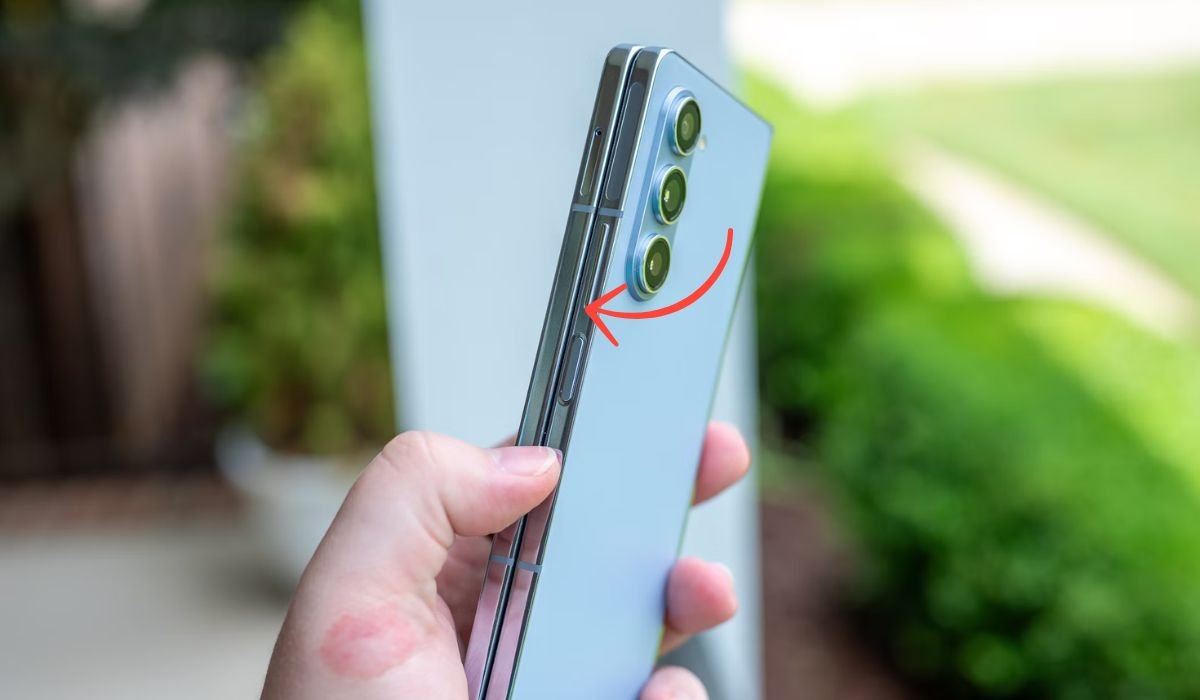
A stuck volume button on an Android device can be frustrating. It can make it difficult to adjust sound levels, causing inconvenience in daily use. This issue can disrupt media playback, phone calls, and even alarms.
Fixing a stuck volume button is crucial to ensure smooth phone functionality. Ignoring the problem could lead to further hardware damage, especially if the button is forced or misused. Fortunately, most cases can be easily resolved at home with simple troubleshooting steps.
By identifying the cause, whether it’s dirt buildup or a minor software glitch, users can usually get the button working again without professional help.
Common Causes of a Stuck Volume Button
- Dirt or debris: Dust and lint can accumulate around the button.
- Moisture exposure: Water or sweat can make the button sticky.
- Physical damage: Dropping the phone or pressure on the button.
- Software glitches: System bugs causing unresponsiveness.
- Worn-out hardware: Over time, frequent use can wear down the button.
Preliminary Steps Before Physical Fixes
Before attempting any physical fixes, try these preliminary steps:
- Restart the Phone: A simple restart often clears minor software glitches that might affect the volume button.
- Check for Software Updates: Ensure your phone is running the latest software. Sometimes, bugs can cause the button to act unresponsive, and updates may fix this.
- Factory Reset (As a Last Resort): If the issue persists and isn’t hardware-related, a factory reset can clear any lingering software problems. Just remember to back up your data first!
Step-by-Step Fixes for Hardware Issues
Here are some step-by-step hardware fixes for a stuck volume button:
1. Clean the Volume Button
Dirt and debris often get lodged around the volume button, making it unresponsive. Cleaning the area can solve the problem without the need for professional help.
- Use a toothbrush or compressed air to clean around the button.
- Be gentle to avoid causing further damage.
2. Use Isopropyl Alcohol
Isopropyl alcohol can dissolve dirt and sticky substances that might be causing the button to stick. It’s a safe option for cleaning electronic components.
- Apply a small amount of alcohol around the button.
- Move the button back and forth to loosen any dirt.
3. Check for Loose Components
Sometimes, internal components near the volume button may become loose, especially after dropping the phone. Inspecting the inside can reveal the issue.
- Remove the back cover (if possible) to check for loose parts.
- Ensure everything is securely in place around the button.
4. Use a Pin or Toothpick
If dirt is lodged deep in the sides of the button, gently using a pin or toothpick can dislodge it. This is a simple way to fix the issue without opening the phone.
- Carefully use a pin or toothpick to remove debris.
- Avoid applying too much pressure to prevent damage.
5. Replace the Button
If the button is physically damaged or worn out, the best solution is to replace it. A new button can restore full functionality.
- Visit a professional repair shop to replace the volume button.
- Check if your phone is still under warranty for a free repair.
Also read: How to Cancel Pandora Subscription on Android
Fixes Without Opening the Phone
If you prefer not to open the phone, here are some alternatives:
- Assistive Tools/Software Alternatives:
- Enable on-screen volume control through the accessibility settings on Android. This allows you to control volume without using the physical button.
- Install third-party apps that offer virtual volume buttons, providing a digital solution for volume adjustment without hardware use.
When to Seek Professional Help
Here’s when to seek professional help for a stuck volume button:
- Physical damage: If the button is broken, cracked, or unresponsive despite cleaning.
- No improvement after DIY fixes: If cleaning or software solutions don’t resolve the issue.
- Under warranty: If your device is still covered by warranty, it’s best to get professional repair.
- Internal damage: If you suspect internal components are damaged, visiting a repair center is necessary to prevent further problems.
Also read: How to Retrieve Deleted WhatsApp Messages on Android
Preventive Measures
To avoid a stuck volume button in the future, follow these preventive measures:
- Regular Cleaning: Periodically clean around the volume buttons with a soft cloth to prevent dirt buildup.
- Use a Protective Case: A case helps shield the phone from physical damage and debris.
- Avoid Moisture: Keep your phone away from water and humid environments to prevent moisture from affecting the buttons.
- Handle with Care: Be mindful when pressing the volume button to avoid excessive force or wear.
Conclusion
In conclusion, diagnosing whether the stuck volume button is due to hardware or software is essential for choosing the right fix. Simple software solutions or cleaning methods often resolve the issue, but it’s important to recognize when professional help is needed.
Regular maintenance, like keeping the phone clean and protected from damage, can prevent future problems. If DIY methods don’t work, don’t hesitate to seek professional repair to avoid further complications.
FAQs
What causes a volume button to get stuck?
A stuck volume button is often caused by dirt or debris, moisture exposure, physical damage, or software glitches.
Can I fix a stuck volume button without opening the phone?
Yes, you can try cleaning around the button, using isopropyl alcohol, or enabling on-screen volume control via accessibility settings.
What should I do if cleaning the button doesn’t work?
If cleaning doesn’t resolve the issue, check for software updates or perform a factory reset. If the problem persists, seek professional help.
How do I enable on-screen volume control on Android?
Go to Settings > Accessibility > Interaction & dexterity, then enable the Assistive touch feature for on-screen volume control.
When should I seek professional repair?
Seek professional help if the button is physically damaged, DIY solutions don’t work, or if your phone is still under warranty.
Can software updates fix a stuck volume button?
Sometimes, yes. Software glitches can cause buttons to be unresponsive, and updates may contain fixes for such issues. Always check for updates before trying hardware fixes.


