

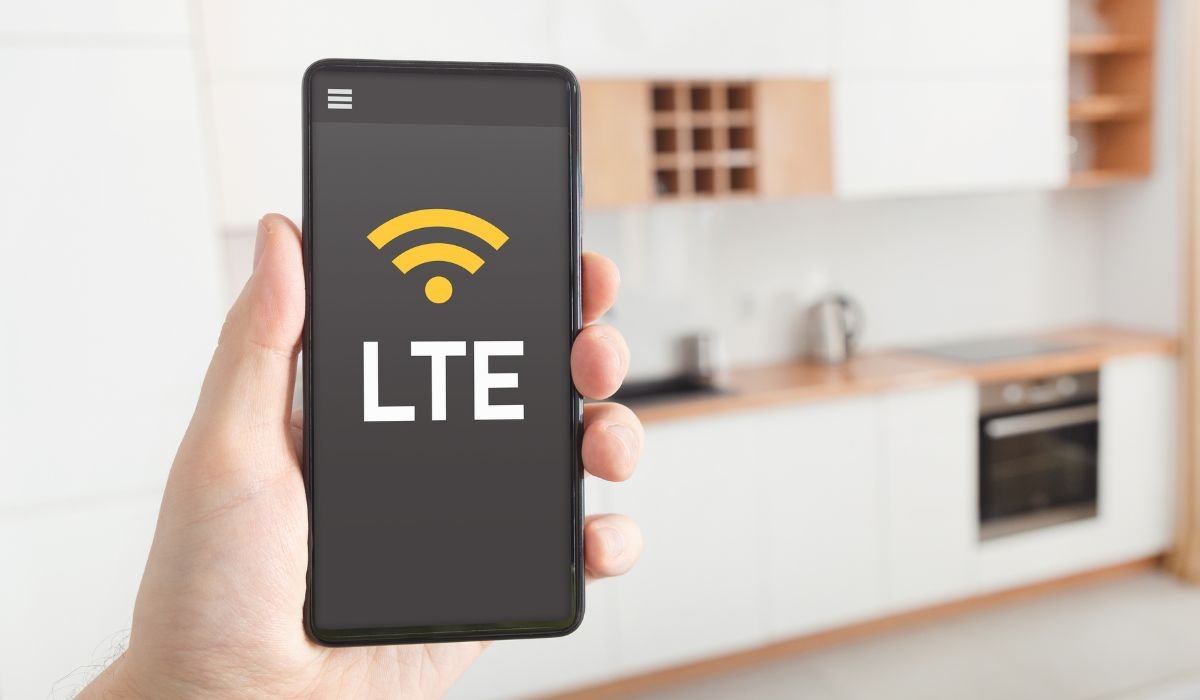
LTE, or Long Term Evolution, is a standard for wireless broadband communication that has revolutionized how we use our Android phones. When you see the LTE icon on your device, it indicates you’re connected to a high-speed mobile network capable of delivering fast data speeds and improved performance.
Key Takeaways
- LTE stands for Long Term Evolution, a 4G wireless technology
- It offers faster data speeds compared to 3G networks
- LTE is widely supported on modern Android devices
- The technology enables smoother streaming, gaming, and browsing experiences
- LTE paved the way for the development of 5G networks
What is LTE?
LTE is a standard for wireless broadband communication designed to provide high-speed internet access for mobile devices. It’s part of the fourth generation (4G) of mobile network technologies, offering significant improvements over its predecessors.
Developed by the 3GPP (3rd Generation Partnership Project), LTE was introduced as a response to the growing demand for faster and more reliable mobile data services. It began rolling out globally in the early 2010s and has since become the dominant mobile network technology worldwide.
How LTE Works
LTE technology operates by using a complex system of cell towers, base stations, and mobile devices. When your Android phone connects to an LTE network, it communicates with nearby cell towers using radio waves. These waves carry data packets that are then translated into the information you see on your screen, whether it’s a website, video, or message.
LTE utilizes advanced digital signal processing and modulation techniques to achieve high data transfer rates. Here’s a simplified breakdown of its operation:
- Signal Transmission: Your Android phone communicates with nearby cell towers using radio waves.
- Data Packaging: Information is divided into small packets for efficient transmission.
- Multiple Antennas: LTE uses MIMO (Multiple Input, Multiple Output) technology to send and receive data simultaneously through multiple antennas.
- Efficient Spectrum Use: LTE employs advanced techniques to maximize the use of available radio frequency spectrum.
LTE vs. 4G
While LTE is often marketed as 4G, it’s technically not the same. True 4G, as defined by the International Telecommunication Union (ITU), requires speeds of up to 1 Gbps. LTE was initially a stepping stone towards this goal, but as the technology evolved, the term 4G LTE became widely accepted to describe high-speed mobile networks.
Understanding the LTE Icon on Android Phones
When you see the LTE icon on your Android phone, it means your device is connected to an LTE network. This icon may vary slightly depending on your device manufacturer and carrier. Some common variations include:
- LTE
- 4G LTE
- LTE+
- 4G+
The “+” symbol often indicates that you’re connected to LTE Advanced (LTE-A) or LTE Advanced Pro networks, which offer even faster speeds than standard LTE.
Benefits of LTE
LTE technology brings several advantages to Android users:
- Faster download and upload speeds
- Lower latency for responsive web browsing and gaming
- Improved voice call quality through VoLTE (Voice over LTE)
- Better battery efficiency compared to older technologies
- Ability to handle more connected devices in a given area
How does LTE compare to 5G in real-world use?
As of 2024, 5G networks are becoming more widespread, but LTE remains a crucial technology. While 5G offers theoretical speeds up to 20 Gbps, real-world performance often falls short of this mark. LTE, on the other hand, provides reliable high-speed connections in many areas where 5G is not yet available.
For most everyday tasks like browsing, streaming, and social media, LTE speeds are more than sufficient. The jump to 5G becomes more noticeable in scenarios involving large file transfers, ultra-low latency gaming, or advanced applications like augmented reality.
Why do some carriers use different branding for LTE like LTE+ or LTE-A?
Carriers often use terms like LTE+ or LTE-A to indicate enhanced versions of LTE technology. These typically refer to LTE Advanced or LTE Advanced Pro, which utilize techniques like carrier aggregation and higher-order MIMO (Multiple Input Multiple Output) to achieve faster speeds and improved network capacity.
This branding helps carriers differentiate their services and inform customers about network improvements. However, the actual performance benefits may vary depending on factors like network congestion and device capabilities.
What are the common issues users face when switching from 4G to LTE?
While LTE offers numerous benefits, some users may encounter challenges when transitioning from older 4G networks:
- Device compatibility: Older phones may not support LTE bands used by certain carriers.
- Coverage gaps: LTE coverage might not be as extensive as 3G in some rural areas.
- Battery drain: Initial LTE implementations sometimes led to faster battery depletion, though this has improved with newer devices.
- Data consumption: Faster speeds can lead to higher data usage if users aren’t mindful.
How can I improve my phone’s LTE performance?
To optimize your Android phone’s LTE performance:
- Keep your device’s software updated
- Ensure your SIM card is LTE-compatible
- Check if your data plan supports LTE speeds
- Reset your network settings if you experience persistent issues
- Use a signal booster in areas with weak coverage
- Toggle airplane mode on and off to force a network reconnection
Frequently Asked Questions (FAQ)
Are LTE and 4G the same?
LTE and 4G are often used interchangeably, but they’re not exactly the same. LTE is a type of 4G technology that doesn’t meet the full ITU-R requirements for true 4G. However, it’s widely marketed as 4G due to its significant improvements over 3G networks.
Should I have my LTE on or off?
It’s generally better to keep LTE on. It provides faster data speeds and better network efficiency. Turning it off may result in slower internet speeds and reduced call quality. Only consider turning it off if you’re in an area with poor LTE coverage or need to conserve battery.
Is LTE good or bad?
LTE is generally good for users. It offers faster data speeds, lower latency, and improved network capacity compared to older technologies. LTE enables smoother streaming, faster downloads, and better overall mobile internet experience. The main drawback might be slightly higher battery consumption on some older devices.
How to change LTE to 4G?
On most Android phones, you can change network settings in the “Mobile Network” or “Connections” menu. Look for “Network Mode” or “Preferred Network Type” and select “4G” or “3G/4G” instead of “LTE/4G.” Note that this may result in slower speeds on many networks.
Why is my phone showing LTE instead of 4G?
Your phone shows LTE instead of 4G because it’s connected to an LTE network. Many carriers use “LTE” to indicate their high-speed 4G networks. It’s the same technology, just labeled differently. Some carriers use “4G LTE” to make it clear that LTE is their 4G offering.
Is 5G or LTE better?
5G is theoretically better than LTE, offering faster speeds and lower latency. However, LTE is currently more widely available and provides sufficient speeds for most users. 5G’s advantages are most noticeable in specific use cases like large file transfers or advanced AR applications.


