

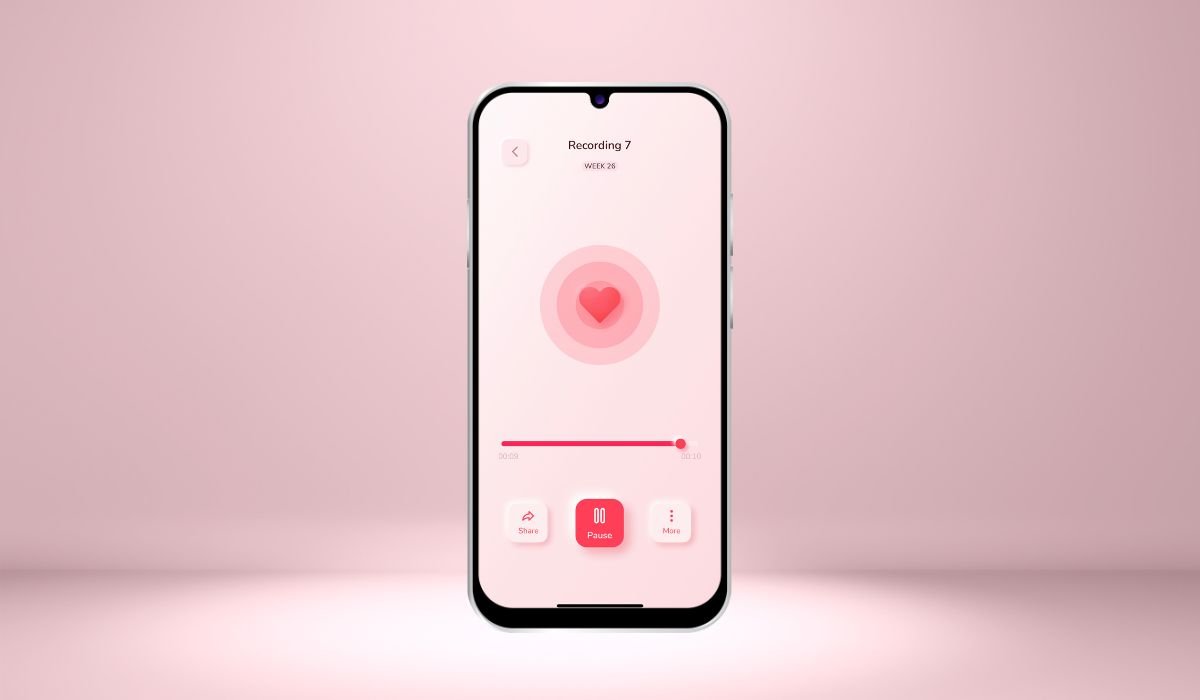
Recording your heartbeat sound on an Android phone is now easier than ever. With advancements in smartphone technology, it’s possible to capture the rhythm of your heart using apps designed specifically for this purpose.
People may want to record their heartbeat for various reasons. Some do it for health tracking, keeping an eye on their heart rate to monitor potential issues. Others might use it for medical purposes, sharing the recordings with doctors or for self-assessment. Some are simply curious about the sound of their own heartbeat.
The accessibility of technology today makes this easy. Many Android apps are available that can record your heartbeat without any special equipment. Just your phone and the right app are all you need to get started!
Why Record Your Heartbeat?
Recording your heartbeat offers valuable insights into your heart health. By capturing the sound, you can monitor any irregularities, track stress levels, or even measure your fitness progress over time. It’s a simple way to stay aware of your cardiovascular well-being.
This personalized data can also be useful during medical consultations. Sharing recordings with your doctor allows them to analyze your heart’s rhythm, potentially catching issues early on. It’s like having a piece of medical data in your pocket.
For others, recording a heartbeat can be calming. Some use it for meditation or relaxation, finding the rhythmic sound soothing. It’s also a unique experience to share, as many people enjoy the tranquil sound of their own heart.
Also read: How to Pair Skullcandy Earbuds to Android
Preparing to Record Your Heartbeat on Android
To record your heartbeat on Android, you’ll need a few basic tools. First, make sure you have a smartphone with a good microphone. While headphones are optional, they can help you listen to the sound more clearly.
It’s important to choose a quiet environment for the best results. Background noise can interfere with your recording, so find a calm place where distractions are minimal.
Finally, check that your phone has enough storage. Recording audio doesn’t take much space, but it’s always better to ensure there’s room for the files before you start!
Best Android Apps to Record Heartbeat Sounds
Here are some of the best Android apps you can use to record your heartbeat sounds:
Google Fit
While Google Fit doesn’t record the actual sound of your heartbeat, it’s excellent for tracking your heart rate. Using your phone’s camera sensor, it provides accurate heart monitoring and can help you keep an eye on your health.
Cardiograph
Cardiograph is a great option for those who want to record and store their heartbeat. It not only tracks your heart rate but also allows you to play back the recorded sound, giving you a complete heartbeat experience.
Smart Heart Rate Monitor
This app goes a step further by letting you record your heartbeat in audio form. You can store and listen to the recordings, making it a versatile tool for both heart monitoring and sound recording.
Sound Recorder Apps
If you want a simple solution, regular sound recorder apps can also capture your heartbeat. By placing the phone’s microphone close to your chest, you can record the sound of your heartbeat with minimal setup!
Also read: How to Turn On Noise Cancelling on AirPods Pro with Android
Step-by-Step Guide: Recording Your Heartbeat Using an Android Phone
- Step 1: Download and install a suitable app like Cardiograph or Smart Heart Rate Monitor.
- Step 2: Choose a comfortable spot where the heartbeat can be heard clearly (chest or wrist).
- Step 3: Place the phone microphone near the heart.
- Step 4: Use the app’s built-in recorder to capture the heartbeat sound.
- Step 5: Save the recording and test playback for clarity.
Tips for Getting the Best Heartbeat Recording
Here are some quick tips for getting the best heartbeat recording:
- Ensure a quiet environment to reduce background noise.
- Stay still to avoid movement that can interfere with the recording.
- Place the microphone properly, close to your chest or wrist.
- Record multiple times to capture the clearest sound.
- Consider using a stethoscope microphone for enhanced clarity.
Analyzing Your Heartbeat Recording
Once you’ve recorded your heartbeat, you can use the app’s inbuilt features to analyze the data. Many apps show your bpm (beats per minute) and patterns, giving you a clear picture of your heart’s rhythm.
If you need medical advice, you can easily export the audio file and share it with your doctor for a more detailed analysis.
For a comprehensive health overview, combine your heartbeat recordings with other health apps to track your fitness, monitor progress, and maintain overall well-being.
Also read: How to Restart Android Auto: A Ultimate Guide
Alternative Ways to Record Heartbeat Sounds on Android
Here are some alternative ways to record heartbeat sounds on Android:
- External Heart Rate Monitors: Devices that connect via Bluetooth can record your heartbeat sound while tracking your heart rate. These monitors often provide more precise recordings than a phone’s microphone.
- Smartwatches: Smartwatches like the Samsung Galaxy Watch not only track your heart rate but also have sound recording features. They sync with your phone to provide seamless heart health monitoring and sound capture.
Benefits of Recording and Tracking Your Heartbeat
Here are the key benefits of recording and tracking your heartbeat:
- Early detection of potential heart issues.
- Helps manage stress by monitoring heart rate changes.
- Provides data for medical consultations.
- Tracks fitness progress over time.
- Enhances self-awareness of heart health.
Conclusion
Recording your heartbeat sound on Android is both easy and valuable. With just a smartphone and the right app, anyone can monitor their heart health and gain useful insights. Whether for fitness tracking, medical purposes, or simply out of curiosity, the tools available make it accessible for everyone.
It’s a great idea to experiment with these apps and regularly monitor your heart rate. However, while these recordings offer helpful information, it’s essential to seek professional medical advice for any health concerns or irregularities detected.
FAQs
Can I record my heartbeat without an external device?
Yes, you can record your heartbeat using your phone’s microphone and the right app. No external device is needed, but using an accessory like a stethoscope microphone can improve the sound quality.
How accurate are the heartbeat sounds recorded on Android?
The accuracy depends on the app and the environment. While the sound can be captured clearly, it may not be as precise as using a dedicated heart rate monitor or medical device.
Which app is the best for recording heartbeats?
Apps like Cardiograph and Smart Heart Rate Monitor are popular choices for recording and storing heartbeat sounds. They offer reliable features for playback and analysis.
Is it safe to use Android apps for health tracking?
Yes, it is generally safe to use these apps for health tracking. However, make sure to use reputable apps and remember that the data they provide is for informational purposes. Always consult a healthcare professional for any health concerns.


